
PDCA Cycle Process Diagram Presentation Template
This template is part of a deck featuring multiple slides. To check out all slides.
See AllProduct Description
Overview
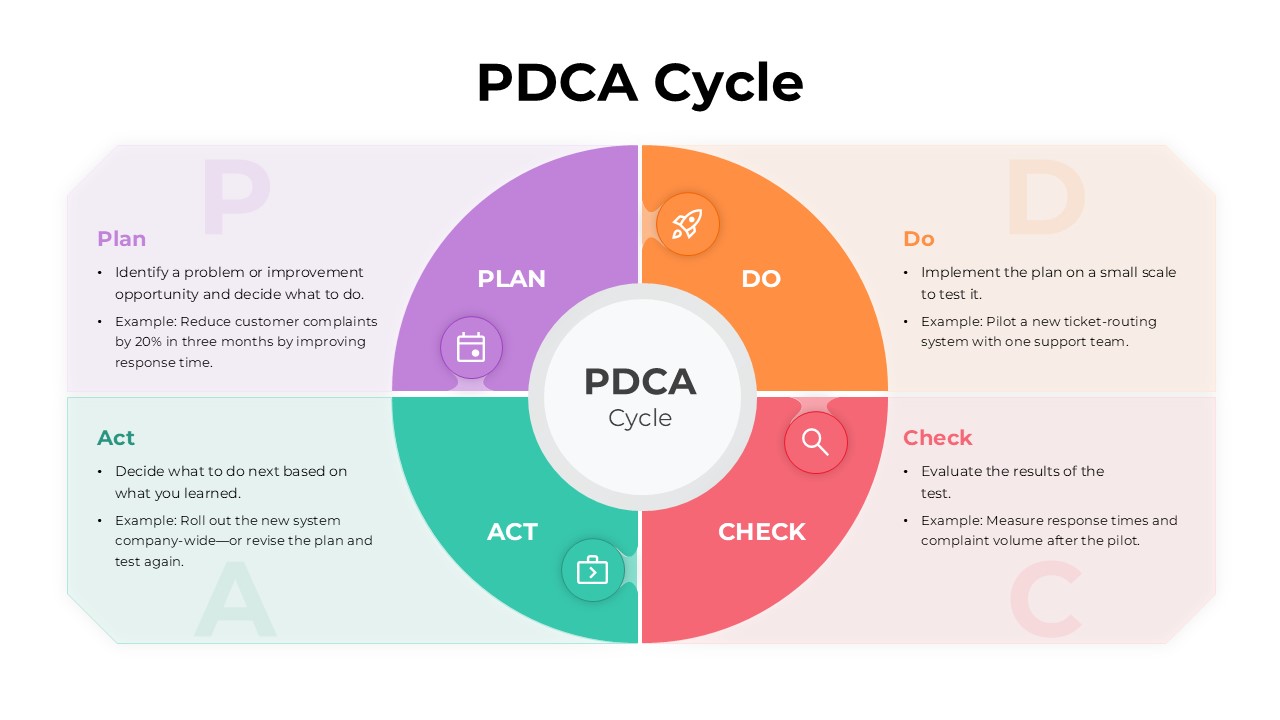
This PDCA cycle process diagram presentation template is designed to explain continuous improvement workflows in a clear and structured way. It is a fully editable presentation template compatible with PowerPoint and Google Slides. The design visually represents the Plan, Do, Check, Act cycle in a circular format for easy understanding. It supports professional presentations focused on quality management, process optimization, and operational improvement. All elements can be customized to align with your workflow, data, and brand identity.
What’s Inside the Template
The template features a central circular PDCA diagram divided into four distinct segments representing Plan, Do, Check, and Act. Each phase is visually separated with its own color and icon, making the flow of the process intuitive and easy to follow. Supporting text sections are placed around the diagram to explain objectives, actions, evaluation steps, and improvement decisions. The layout balances visuals and explanatory content, allowing presenters to clearly communicate both the process and practical examples.
Key Features
- Circular PDCA cycle diagram with four clearly defined stages
- Editable text areas for process explanations and examples
- Distinct color coding for each phase of the cycle
- Clean iconography to support visual learning
- Fully customizable shapes, colors, and typography
Ideal For
This template is ideal for quality managers, process improvement teams, consultants, and educators explaining continuous improvement models. It works well for training sessions, operational reviews, ISO related discussions, and internal workshops focused on performance optimization. The clear structure also makes it suitable for executive briefings and educational materials.
Slide Highlights
The main slide highlight is the central PDCA wheel that visually reinforces the cyclical nature of continuous improvement. Each quadrant is paired with concise explanatory text, helping audiences quickly connect actions with outcomes. The balanced use of color and spacing ensures that each phase stands out while maintaining a cohesive, professional appearance throughout the slide.
Compatibility & Formats
This presentation template is fully compatible with PowerPoint and Google Slides. All diagram components, icons, and text fields are editable without additional tools or plugins. The layout maintains visual consistency across platforms, ensuring reliable editing and presentation performance.
Login to download this file
What do you think of this template?

