
Business to Consumer Process Cycle Template for PowerPoint & Google Slides
Product Description
Business-to-Consumer Template
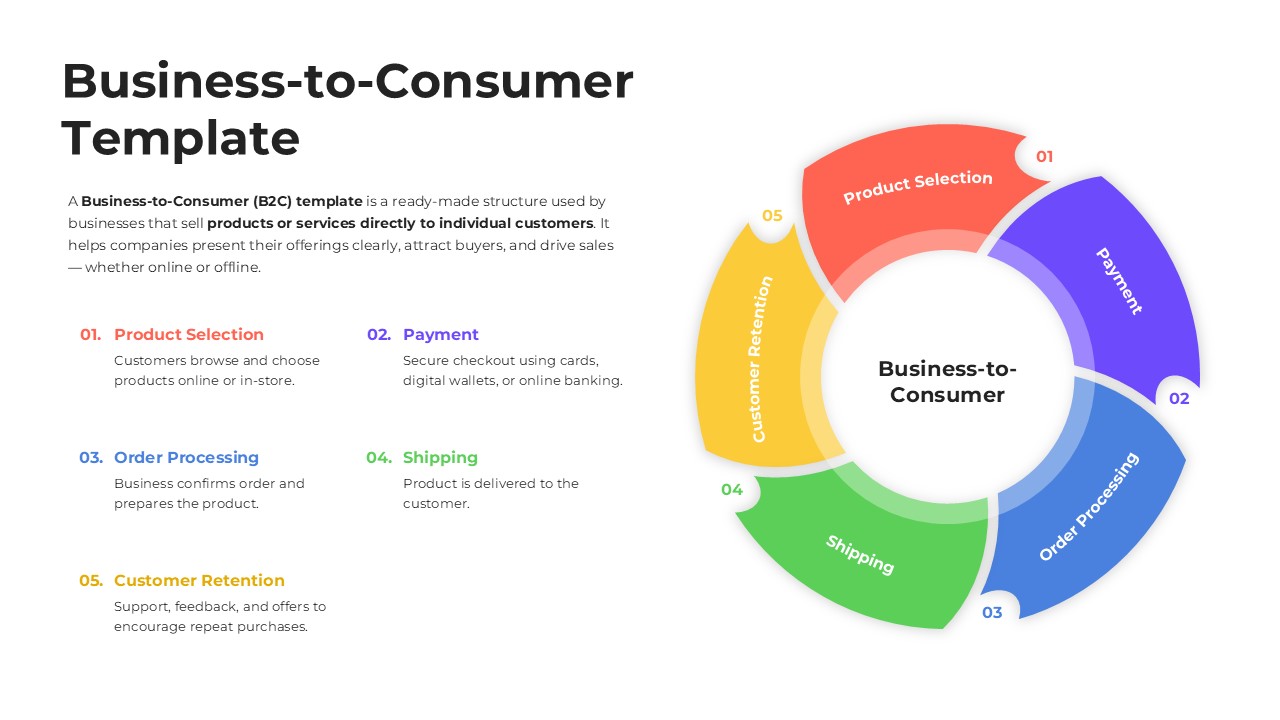
This template illustrates the essential stages of the Business to Consumer model using a clear, circular process design. It is a fully editable presentation template compatible with PowerPoint and Google Slides.
Its purpose is to help businesses explain how products or services flow from selection to delivery and customer retention.
The vibrant circular structure makes the B2C journey easy to understand, supporting presentations focused on sales processes, customer behavior, or product lifecycle communication.
The layout balances text and graphics, making it suitable for both strategic and educational use.
What’s Inside the B2C Template
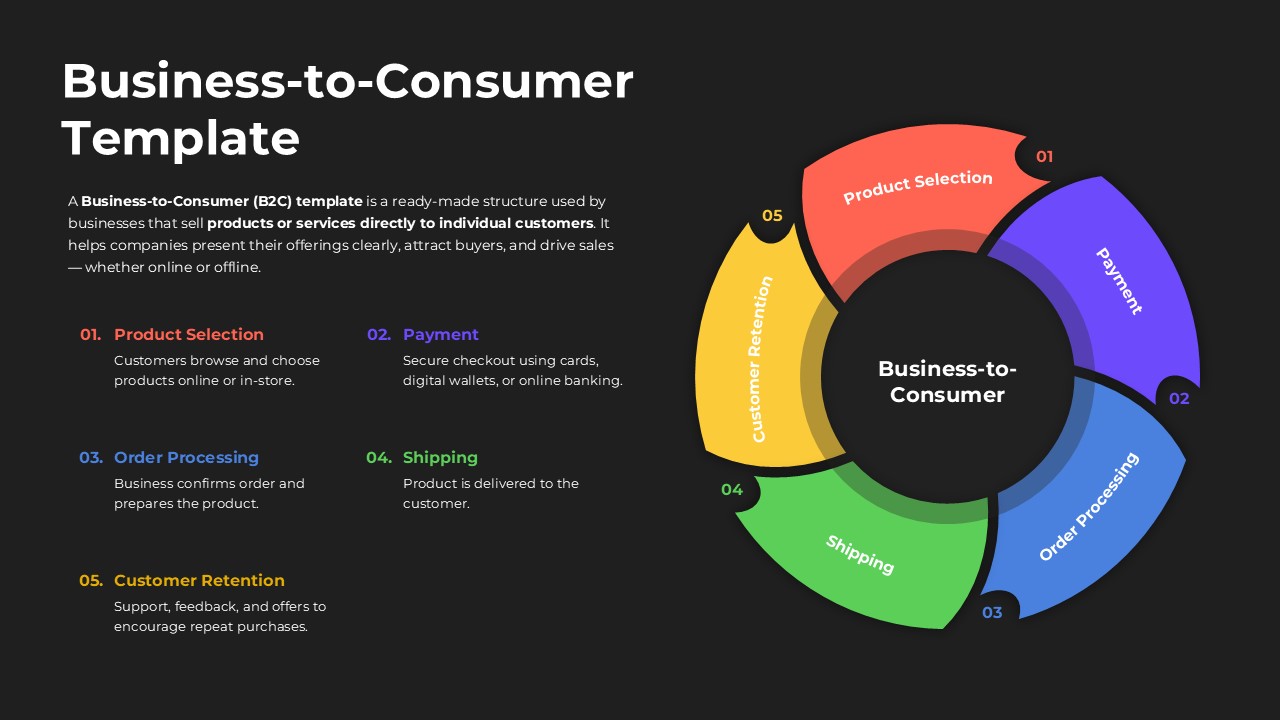
The slide features a five step circular diagram representing the complete B2C process: product selection, payment, order processing, shipping, and customer retention. Each segment is color coded with a matching numeric label for easy tracking. On the left side, corresponding descriptions provide brief explanations of each stage to reinforce understanding. The circular workflow visually emphasizes continuity and customer engagement, making it a practical tool for illustrating operational or sales discussions. With its clean spacing and modern shapes, the template supports detailed discussions without visual clutter.
Key Features Of B2C Template
- Fully editable circular B2C process diagram
- Five stage structure with color coded segments
- Balanced layout combining visuals and explanatory text
- Modern design suitable for sales, marketing, and operational presentations
- Compatible with PowerPoint and Google Slides
Ideal For
This template is ideal for sales teams, marketing professionals, retail organizations, startups, e commerce businesses, and educators explaining consumer focused models. It can be used in strategy meetings, product development sessions, onboarding materials, and training workshops to clarify how businesses serve individual customers.
Slide Highlights
The circular diagram at the right side stands out with its multi colored segments arranged to show flow and interconnection. Each step is clearly labeled, enhancing recall and comprehension. On the left, short descriptive text supports deeper explanation of each phase. The design is clean, modern, and visually organized, drawing attention to the customer journey while maintaining professional clarity.
Compatibility & Formats
The template works seamlessly in both PowerPoint and Google Slides. All shapes, colors, labels, and text fields can be modified to align with branding guidelines or presentation objectives.
Login to download this file
What do you think of this template?
Category:
Business
Aspect Ratio: 16:9
Item ID: SPT0472
Color


Related Templates
-
-
-
-
-
-
-
PDCA Cycle Process Diagram Presentation Template
Business Strategy
-
-
-
-
-



