
Growth Loop Diagram Presentation Template for PowerPoint & Google Slides
Product Description
Growth Loop Template
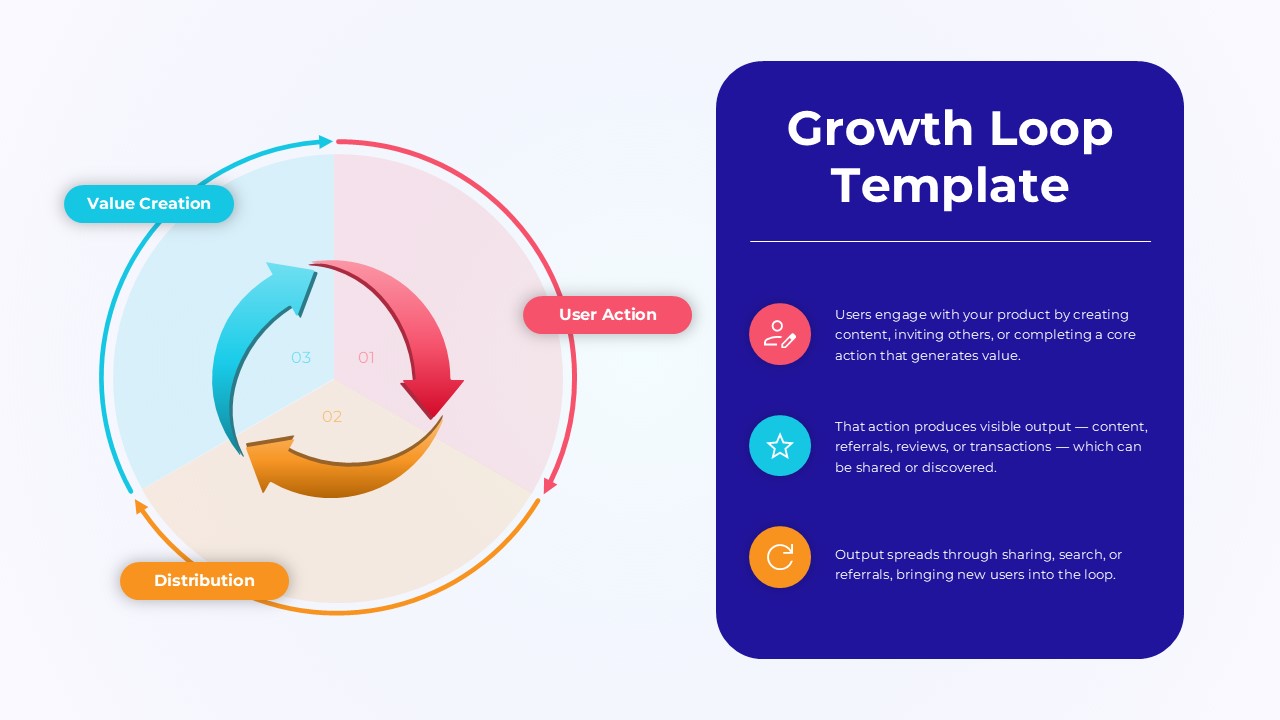
This Growth Loop presentation template visually explains how user actions generate ongoing value and create sustainable product expansion. It is a fully editable presentation template designed for teams that need to communicate growth mechanics with clarity. The file is compatible with both PowerPoint and Google Slides, ensuring smooth customization across platforms. The circular template highlights the three core components of a growth loop and presents them in a clean circular flow that helps audiences quickly grasp the recurring nature of the process.
What’s Inside the Growth Loop Template
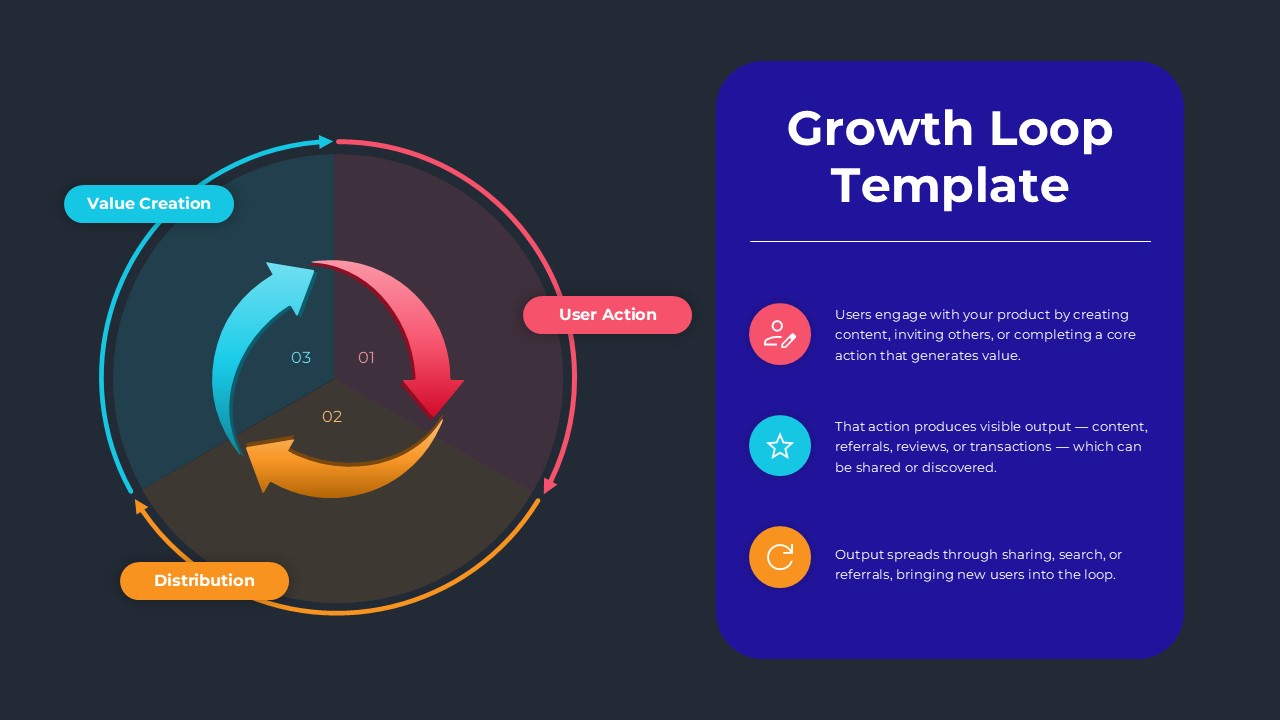
The template includes a modern circular loop diagram that illustrates how value creation, user actions, and distribution interact in a continuous cycle. Each segment is clearly color coded, allowing presenters to highlight step-by-step progress. A supporting content panel on the right provides space for explanatory text, helping teams articulate how each stage contributes to product and user growth. The overall layout blends visual simplicity with functional depth, making it ideal for presentations that require a strong conceptual narrative.
Key Features of Growth Loop Template
- Fully editable circular loop diagram
- Distinct color coded stages for easy interpretation
- Clean layout designed for strategic explanations
- Compatible with PowerPoint and Google Slides
- High resolution graphics suitable for professional presentations
Ideal For
Teams seeking to explain product growth mechanisms, marketing professionals illustrating user acquisition cycles, and strategy leaders presenting feedback driven growth models will benefit from this template. It also supports educators and consultants who need to break down recurring processes in a clear visual format.
Slide Highlights
The central diagram depicts three interconnected phases arranged in a circular loop, emphasizing continuous motion. Labels for value creation, user action, and distribution help define each stage’s purpose. The right side features a structured explanation section with icons, making insights easy to present and understand. The design uses bright, engaging colors to guide the viewer’s attention naturally through the cycle.
Compatibility & Formats
This template works seamlessly with both PowerPoint and Google Slides. All shapes, colors, text, and graphics can be customized without restrictions. Users can adjust the layout, replace icons, and tailor the color scheme to match brand guidelines.
Login to download this file
What do you think of this template?
Category:
Marketing
Aspect Ratio: 16:9
Item ID: SPT0489
Color


Related Templates
-
-
Market Gap Analysis Presentation Template for PowerPoint & Google Slides
Business Strategy
-
-
-
-
-
-
-
-
-
-



