
FAQ Google Slide & PowerPoint Template


Product Description
FAQ Slide Template
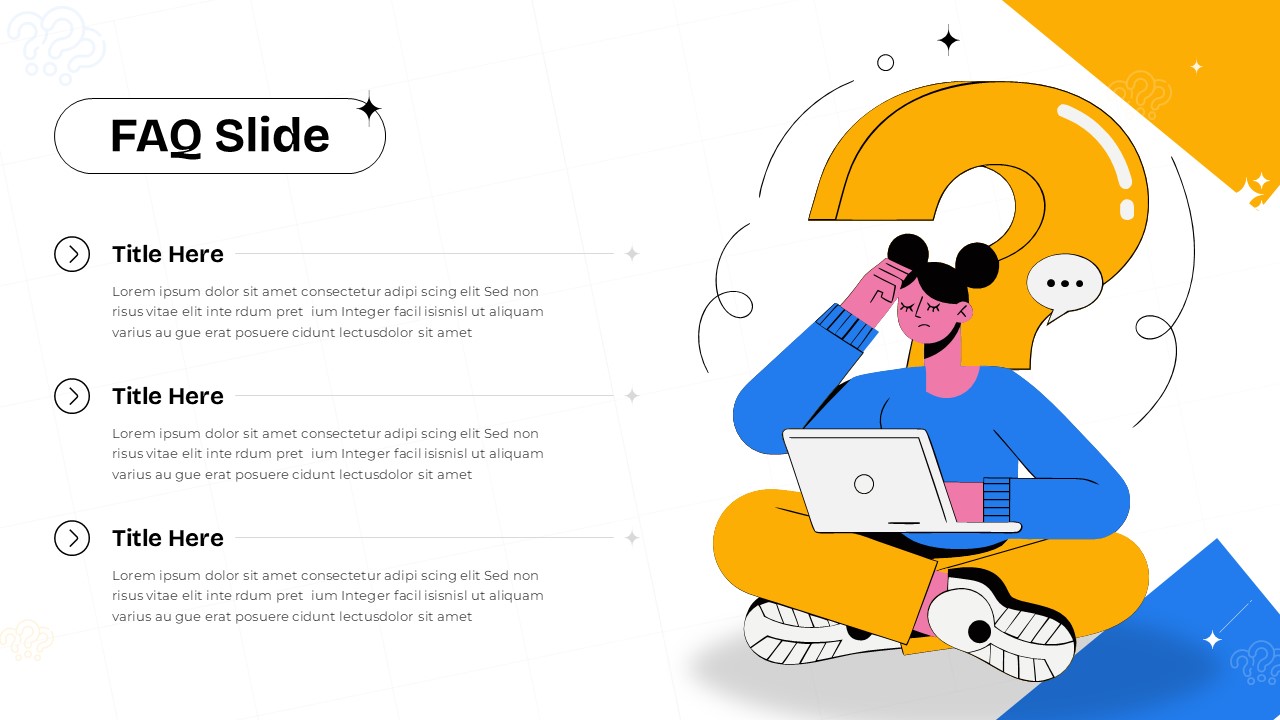
This FAQ slide template delivers a professional solution for presenting questions and answers in a clear, organized format that enhances audience engagement. The fully editable presentation template works seamlessly with both PowerPoint and Google Slides, offering complete customization control over content, colors, and layout elements. Each template includes dual theme options to match various brand guidelines and presentation contexts. The primary benefit lies in transforming complex information into digestible, visually appealing Q&A sections that maintain audience attention throughout your presentation. The template incorporates modern design principles with expandable-style sections that suggest interactivity, making it perfect for customer support documentation, product explanations, or training materials. The friendly illustration reinforces the helpful nature of FAQ content while maintaining professional presentation standards.
What’s Inside the FAQ Template
The template features a strategic two-column layout that balances content with visual elements for optimal information flow. The left column houses three structured FAQ sections, each containing dedicated spaces for questions and detailed answers with expandable arrow indicators. The right column showcases a supportive illustration featuring a customer service representative with laptop, question mark symbols, and communication elements. Both light and dark theme variations maintain consistent structural hierarchy while offering distinct visual approaches. Header sections include branded pill-shaped containers for titles, and decorative geometric elements add visual interest without overwhelming the core content.
Key Features of FAQ Slide
- Dual theme options with light and dark color schemes for brand flexibility
- Expandable-style FAQ sections with arrow indicators for intuitive navigation
- Strategic two-column layout optimizing content readability and visual balance
- Professional illustration elements supporting customer service themes
- Fully customizable text placeholders for questions and detailed answers
- Modern flat design aesthetic with contemporary color palette
- Geometric decorative elements enhancing visual appeal
Ideal For
This template serves customer service managers creating training presentations, product managers developing user onboarding materials, and support teams building comprehensive help documentation. Marketing professionals will find it valuable for website mockups and client presentations explaining service offerings. The design works particularly well for business presentations requiring clear information hierarchy and professional appearance. Training coordinators, technical writers, and customer success teams can leverage this template for workshop materials, user guides, and interactive presentation sessions where audience questions need structured responses.
Slide Highlights
The template excels in creating visual hierarchy that guides viewers naturally from questions to answers while maintaining engagement through thoughtful illustration placement. The expandable section design suggests interactivity even in static presentations, encouraging audience participation and question anticipation. Color contrast between themes ensures readability in various lighting conditions and projection scenarios. The friendly character illustration humanizes technical information, making complex topics more approachable for diverse audiences. Geometric accent elements and carefully balanced white space create a modern, uncluttered appearance that supports rather than competes with your content. The overall design flow supports both linear presentation delivery and reference-style browsing, making it versatile for different presentation formats and customer service scenarios.
Compatibility & Formats
Designed for seamless integration with PowerPoint and Google Slides, this template ensures consistent appearance across different devices and platforms. All elements remain fully editable, allowing complete customization of colors, fonts, text content, and illustration elements. The 16:9 aspect ratio provides optimal display quality for modern screens and projectors, while the template structure adapts well to different presentation contexts and audience sizes.
Login to download this file
What do you think of this template?
Category:
Business
Aspect Ratio: 16:9
Item ID: SPT0547
Color



