
Organization Challenges Hub Diagram PowerPoint & Google Slides Template

Product Description
Organization Challenges Template
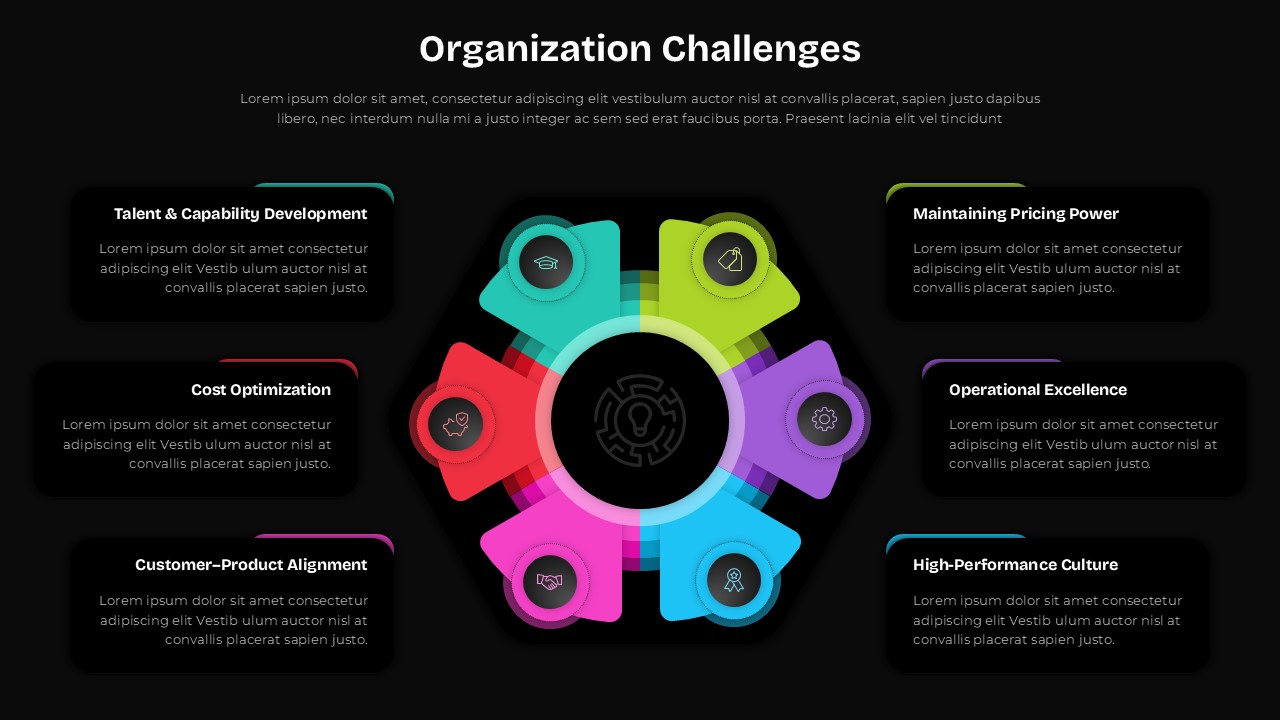
Transform your strategic presentations with this comprehensive Organization Challenges Hub Diagram template. This powerful visual tool helps executives and consultants communicate complex organizational challenges through an intuitive hub-and-spoke design. Perfect for strategic planning sessions, management consulting deliverables, and corporate transformation initiatives.
What’s Inside the Organization Challenges Template
This 2-slide template package includes both dark and light theme variations of the same strategic diagram. Each slide features a central hub connected to six key organizational challenge areas: Talent & Capability Development, Maintaining Pricing Power, Cost Optimization, Operational Excellence, Customer-Product Alignment, and High-Performance Culture. The template provides editable text placeholders for detailed descriptions of each challenge area.
Key Features of Organization Challenges Template
- Professional hub-and-spoke diagram design with central gear icon
- Six color-coded challenge segments with gradient effects
- Dual theme options – dark and light backgrounds
- Fully editable text placeholders and color schemes
- 16:9 aspect ratio optimized for modern displays
- Compatible with both PowerPoint and Google Slides
Ideal For
Business strategists, management consultants, executives, and organizational development professionals will find this template invaluable. Use it for strategic planning presentations, executive briefings, workshop materials, corporate training sessions, and client deliverables that address organizational transformation challenges.
Slide Highlights
The template showcases vibrant teal, green, red, purple, magenta, and blue segments that create visual distinction while maintaining professional appeal. The gradient effects and translucent styling add depth and dimension, while the symmetrical layout ensures balanced visual weight across all challenge areas.
Compatibility & Formats
Designed for seamless use across platforms, this template works perfectly with Microsoft PowerPoint and Google Slides. All elements are fully customizable, allowing you to modify colors, text, and positioning to match your brand guidelines and presentation requirements.
Frequently Asked Questions
Can I customize the six challenge categories shown in the template?
Yes, all text elements are fully editable. You can replace the default challenge categories with your own organizational priorities and add custom descriptions for each segment.
Which theme version should I choose for my presentation?
The template includes both dark and light themes. Choose the dark version for modern, high-impact presentations or the light version for traditional corporate settings and printed materials.
How do I modify the colors of individual segments?
Each segment is independently editable. Simply select the desired segment and use your presentation software's color picker to change the fill color while maintaining the gradient effects.
Login to download this file
What do you think of this template?
Category:
Business Strategy
Aspect Ratio: 16:9
Item ID: SPT0509
Color


Related Templates
-
-
-
Hub and Spoke Strategy Framework Template for PowerPoint & Google Slides
Business Strategy
-
-
-
-
-
-
-
-
-
MECE Principle Diagram Template for PowerPoint & Google Slides
Business Strategy



