
Campaign Plan Google Slides & PowerPoint Template
Product Description
100 Days Campaign Plan
This professional campaign plan template delivers a comprehensive framework for organizing and presenting strategic marketing initiatives with a structured 100-day timeline approach. The template features a modern design with clean layouts, color-coded timeline elements, and strategic content sections that make complex campaign planning accessible and visually engaging. Completely editable in both Microsoft PowerPoint and Google Slides, this template transforms campaign planning presentations into compelling visual narratives that clearly communicate timelines, execution phases, and key benefits to stakeholders and team members.
What’s Inside the Campaign Plan Template
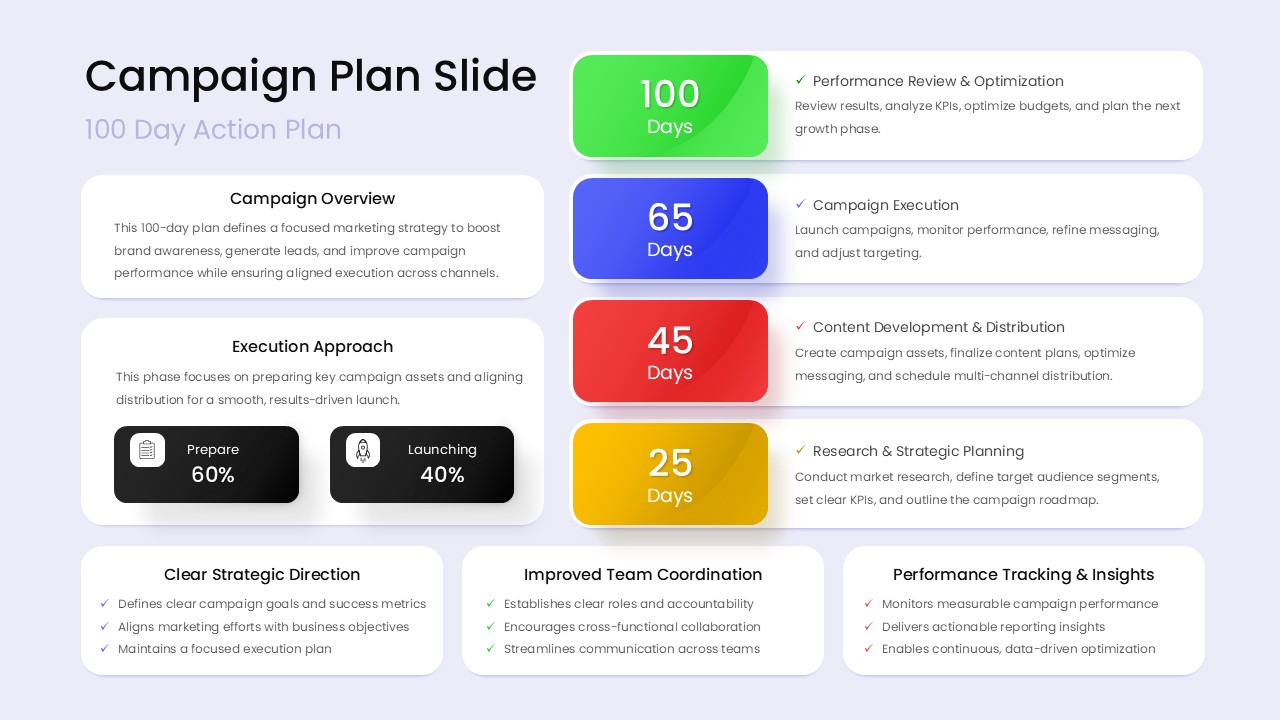
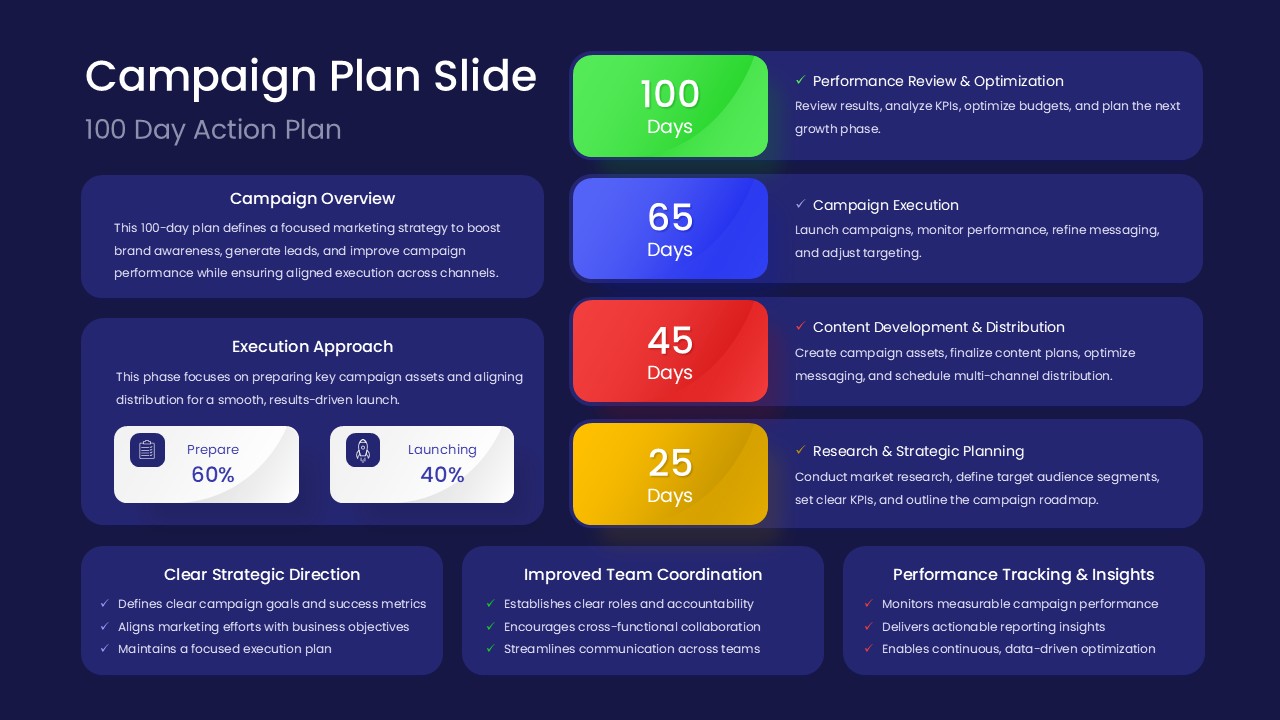
The template includes two professionally designed slides featuring a comprehensive campaign overview section, detailed execution approach framework, and a strategic timeline spanning 100 days with four distinct phases marked at 100, 65, 45, and 25-day intervals. Each slide incorporates color-coded circular timeline badges, percentage-based execution splits showing preparation versus launching phases, and three horizontal benefit boxes that highlight key campaign advantages. The design utilizes a balanced color palette with purple backgrounds on one slide and navy blue on the alternate version, ensuring flexibility for different presentation contexts and brand requirements.
Key Features of Campaign Plan Template
- Structured 100-day timeline with four distinct campaign phases
- Color-coded progress indicators for easy visual tracking
- Execution approach framework with percentage allocations
- Professional dual-theme options with light and dark backgrounds
- Strategic benefit sections highlighting key campaign advantages
- Clean typography with clear information hierarchy
- Fully customizable text placeholders and visual elements
- 16:9 aspect ratio optimized for modern presentation displays
Ideal For
This template serves marketing professionals, campaign managers, advertising agencies, and consulting teams who need to present comprehensive campaign strategies to clients, executives, or internal stakeholders. It’s particularly valuable for digital marketing agencies outlining multi-phase campaign rollouts, corporate marketing departments presenting annual campaign strategies, and project managers coordinating cross-functional marketing initiatives that require clear timeline communication and strategic alignment.
Slide Highlights
The visual design showcases a sophisticated color scheme featuring purple and navy blue backgrounds with strategically placed white text for optimal readability. Timeline elements use distinctive colors including green, blue, red, and yellow circular badges that create an intuitive progression flow. The execution approach section employs contrasting dark and light boxes to emphasize the 60/40 preparation-to-launch ratio, while the three benefit boxes at the bottom provide space for marketing strategy highlights with clean bullet point formatting and ample white space for professional presentation delivery.
Compatibility & Formats
This campaign plan template ensures seamless compatibility with both Microsoft PowerPoint and Google Slides platforms, allowing teams to collaborate and edit across different software preferences. All text elements, colors, shapes, and timeline components are fully editable, enabling complete customization to match specific campaign requirements, brand guidelines, and presentation contexts while maintaining the professional design integrity.
Frequently Asked Questions
Can I customize the timeline duration from 100 days to my specific campaign length?
Yes, all timeline elements including the day markers (100, 65, 45, 25) and phase descriptions are fully editable. You can easily modify the duration, add or remove phases, and adjust the timeline to match your specific campaign requirements.
Are both the light and dark theme versions included in this template?
Yes, this template includes both the purple light background version and the navy blue dark background version, giving you flexibility to choose the theme that best matches your presentation context or brand guidelines.
Can I add more slides or duplicate the existing layout for multiple campaigns?
Absolutely! You can duplicate the existing slides and customize each one for different campaigns, modify the content sections, or expand the template by adding more slides while maintaining the consistent design aesthetic throughout your presentation.
Login to download this file
What do you think of this template?
Category:
Marketing
Aspect Ratio: 16:9
Item ID: SPT0572
Color


Related Templates
-
-
-
AI Readiness Checklist Google Slides & PowerPoint Template
Business Strategy
-
-
-
-
Migration Plan Process Presentation Template for PowerPoint & Google Slides
Project Management
-
-
-
-
-



