
Professional Resume PowerPoint Template
Product Description
Professional Resume Presentation Template
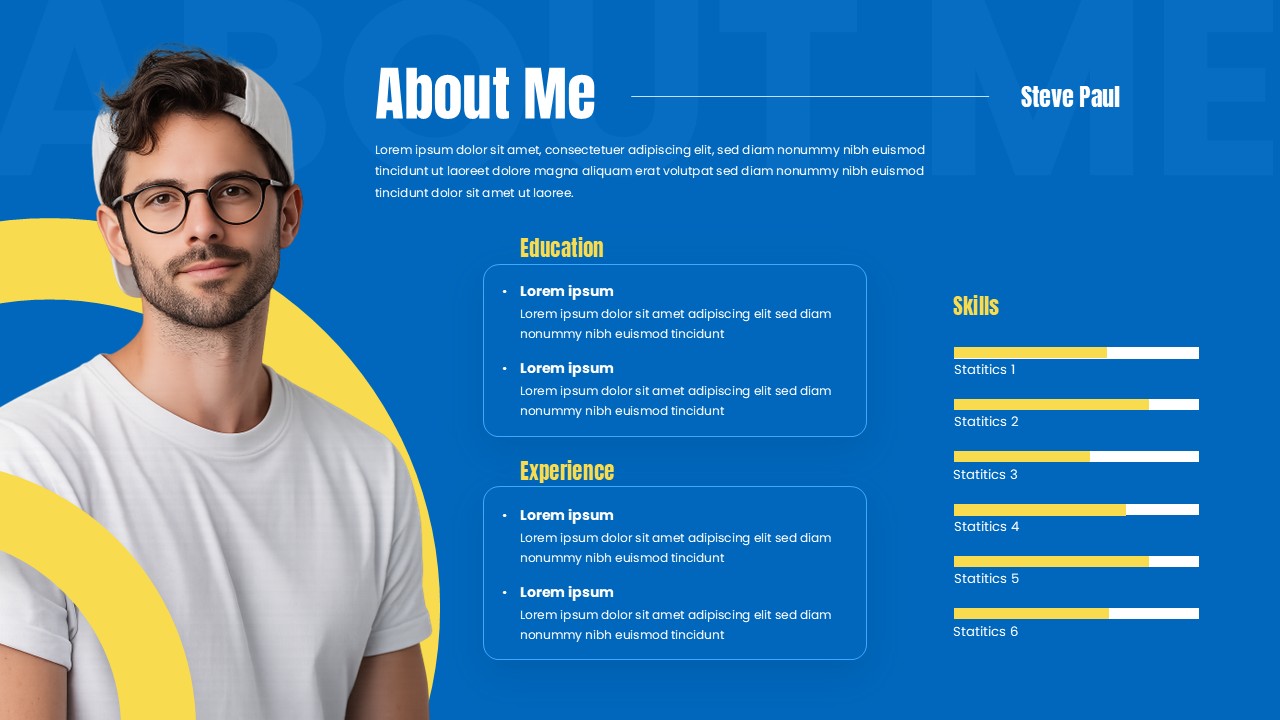
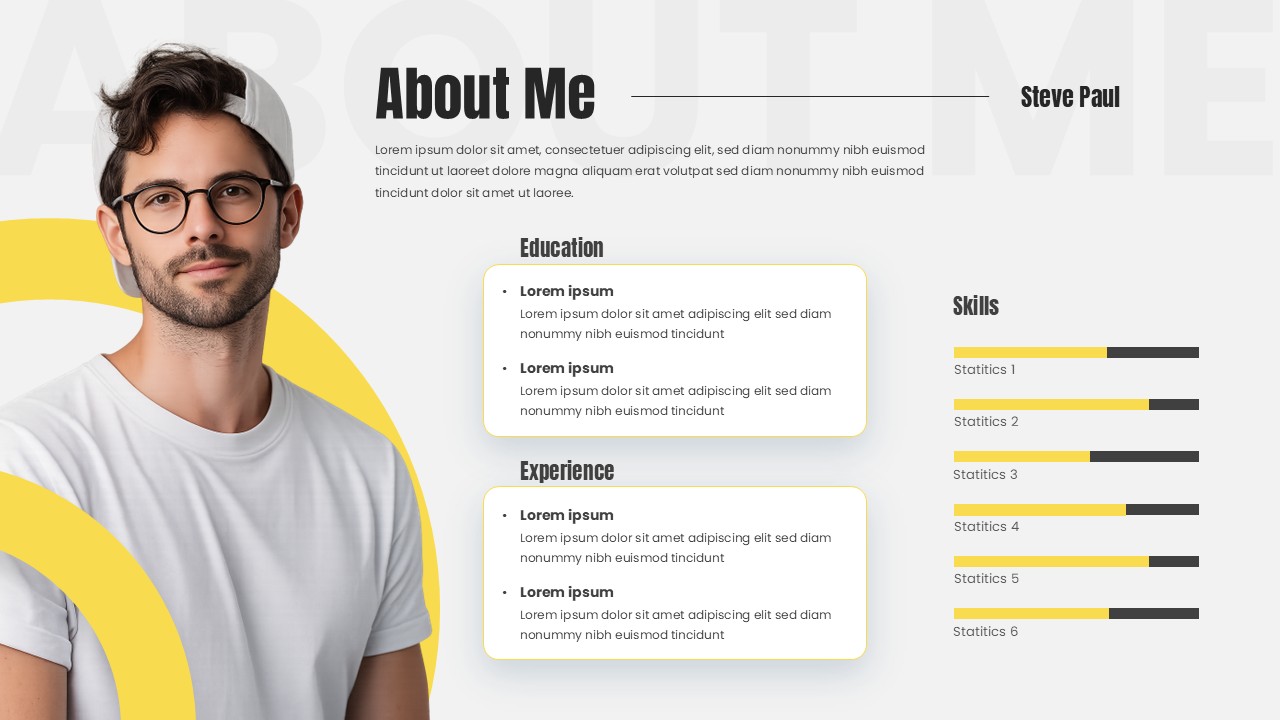
This professional resume template delivers a modern, visually striking approach to personal branding and career presentation. Featuring a sophisticated layout with geometric accents and skill visualization bars, this template transforms traditional CV formats into engaging presentation slides. The template is completely editable in both Microsoft PowerPoint and Google Slides, allowing you to customize every element to match your personal brand. Perfect for job interviews, portfolio reviews, or networking events where you need to make a memorable first impression.
The template showcases a striking visual contrast between the vibrant blue primary theme and the subtle light gray alternative version. Yellow accent colors create energetic focal points throughout both designs, while the horizontal skill bars provide immediate visual assessment of competencies. The geometric overlay elements add contemporary flair without overwhelming the professional content, and the rounded corner design elements soften the overall aesthetic. Each section maintains clear visual hierarchy, ensuring viewers can quickly navigate through personal information, educational background, and professional achievements.
What’s Inside the Professional Resume Template
The template includes two comprehensive slides featuring identical layouts with distinct color schemes – a vibrant blue theme and a clean light theme. Each slide incorporates a circular profile photo section with decorative yellow geometric overlays, three organized content sections for About Me, Education, and Experience, and an interactive skills section with horizontal progress bars make it use like a self introduction slide. The design utilizes rounded corner content boxes, modern typography, and strategic white space to ensure excellent readability and professional presentation quality.
Key Features of Professional Resume Template
- Dual color theme options for versatile presentation contexts
- Circular profile photo placement with decorative geometric elements
- Interactive skill visualization bars with percentage indicators
- Three-section content organization for comprehensive information display
- Modern typography and clean layout design principles
- High contrast color schemes ensuring excellent readability
- Fully editable text placeholders and visual elements
- Professional geometric accents and contemporary styling
Ideal For
This template serves creative professionals, recent graduates, job seekers, freelancers, and career changers who need to present their qualifications in a contemporary format. Particularly valuable for human resource professionals conducting presentations about talent acquisition, career coaches working with clients, and individuals in creative industries where visual presentation matters. The template works exceptionally well for in-person interviews, virtual meetings, portfolio presentations, and professional networking events.
Compatibility & Formats
Designed for seamless compatibility with both Microsoft PowerPoint and Google Slides platforms, this template ensures all text elements, color schemes, and visual components remain fully editable. The professional-quality design maintains consistent formatting across different presentation software, allowing you to customize content, adjust colors, and modify layouts according to your specific requirements.
Frequently Asked Questions
Can I change the profile photo and personal information in this resume template?
Yes, absolutely! The template is fully customizable, allowing you to replace the placeholder profile photo with your own image and update all personal information, education details, work experience, and skills sections to reflect your background.
How do I adjust the skill level bars to show my actual competencies?
The skill progress bars are easily adjustable in both PowerPoint and Google Slides. You can modify the bar lengths by selecting each bar element and resizing it, or by adjusting the underlying chart values to accurately represent your skill levels and add your own skill categories.
Can I use just one color theme or do I need to use both slide designs?
You can choose to use either the blue theme, the light theme, or both depending on your needs. Many users select one primary version for consistency, though having both options allows you to adapt your presentation for different contexts like formal interviews versus creative portfolio reviews.
Login to download this file
What do you think of this template?
Category:
Human Resource
Aspect Ratio: 16:9
Item ID: SPT0545
Color


Related Templates
-
-
-
-
-
-
-
-
-
-
-
-
30-60-90 Day Executive Plan Template Google Slides & PowerPoint Template
Business Strategy



