
Project Workflow PowerPoint & Google Slides Template
Product Description
Project Workflow Presentation Template
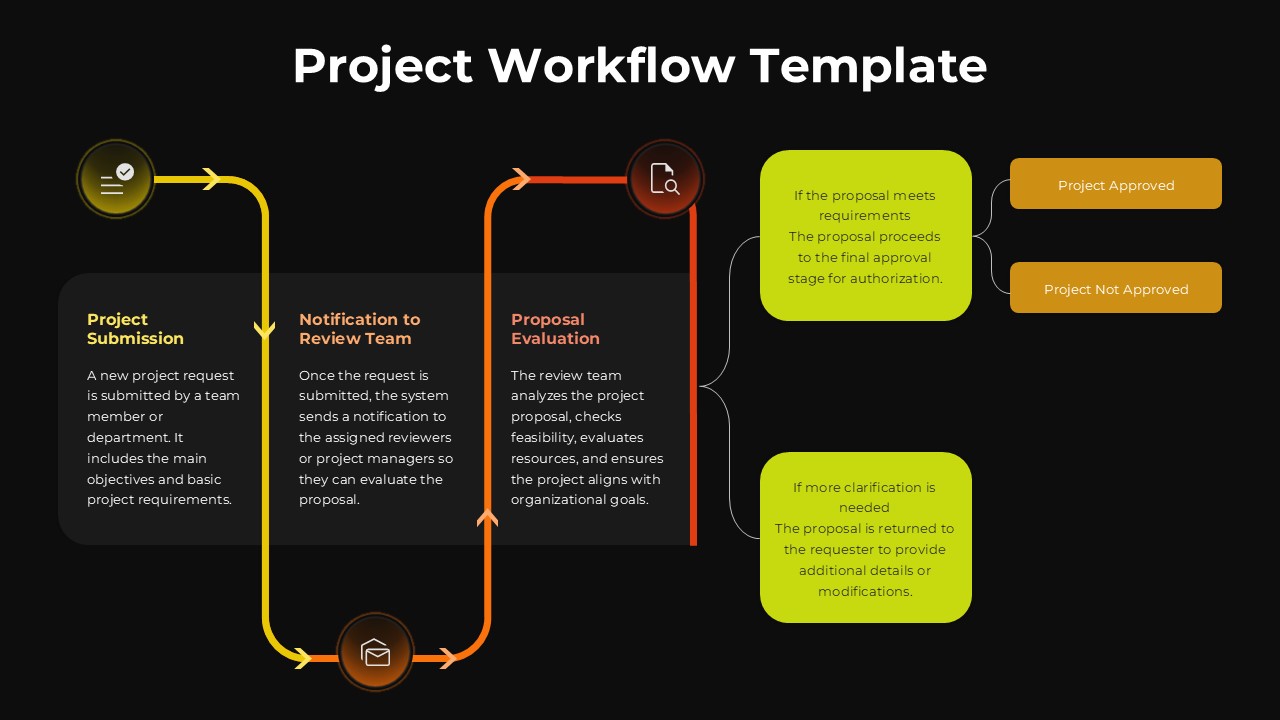
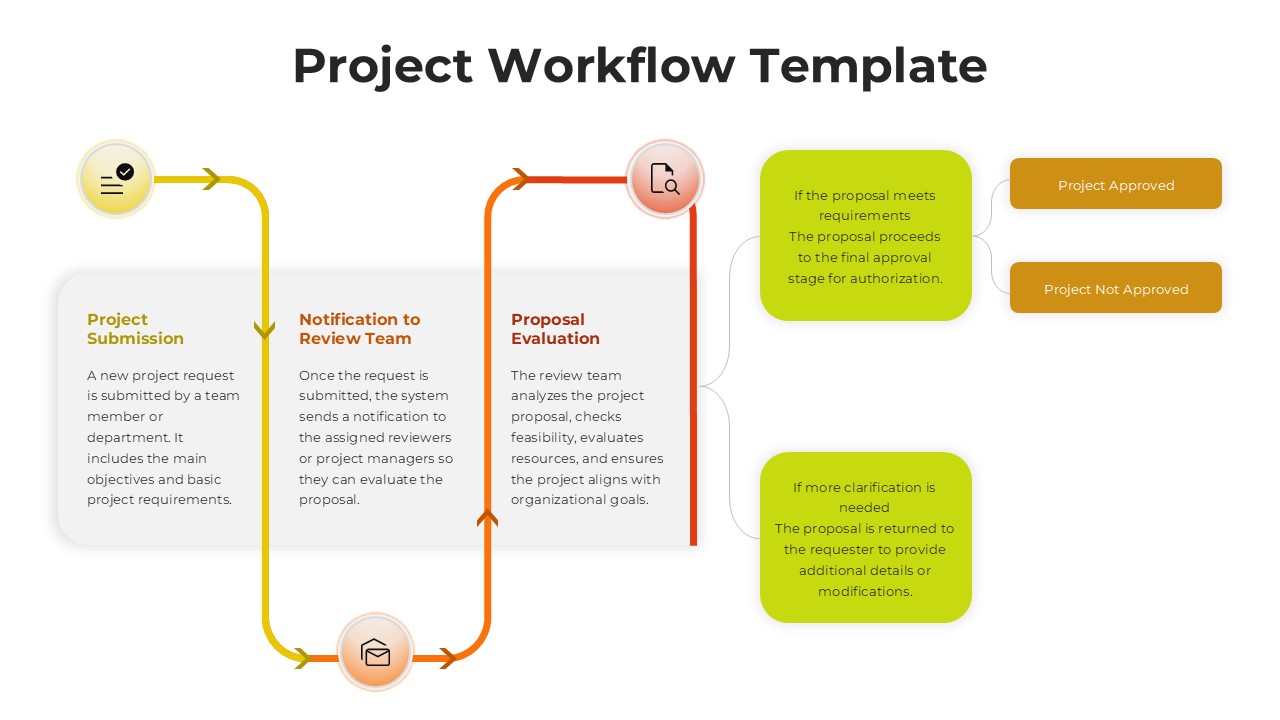
This professional project workflow template – completely editable in both Microsoft PowerPoint and Google Slides, delivers a powerful visual framework for mapping complex project approval processes with precision and clarity. The sophisticated dark-themed design features circular process flow diagrams with interconnected decision points, making it ideal for organizations that need to standardize and communicate their project management procedures effectively. This template transforms complicated workflow documentation into engaging, easy-to-follow visual presentations that stakeholders can quickly understand and implement.
What’s Inside the Project Workflow Template
This comprehensive template includes two meticulously designed slides that showcase a complete project approval workflow with three core process steps connected by dynamic curved arrows in a clockwise flow pattern. Each slide features vibrant yellow and lime green process boxes, orange accent elements, and circular icons representing different workflow stages including project submission, team notification, and proposal evaluation. The template incorporates conditional decision branches with customizable outcome paths, detailed text placeholders for process descriptions, and flexible visual emphasis options that allow presenters to highlight specific workflow components based on their presentation needs.
Key Features of Project Workflow Template
- Circular workflow design with three main process steps and decision branches
- Professional dark background with high-contrast yellow and orange accents
- Fully customizable text placeholders and process descriptions
- Two slide variations offering different visual emphasis options
- Clean iconography and modern typography for professional presentations
- Curved arrow connectors showing clear process flow direction
- Conditional logic callout boxes for complex decision workflows
- 16:9 aspect ratio optimized for modern presentation displays
Ideal For
This template serves project managers, operations directors, business analysts, and organizational leaders who need to document, present, and standardize complex approval workflows within their organizations. It’s particularly valuable for consulting professionals who help clients optimize their project management processes, corporate governance teams establishing clear approval pathways, and training departments developing workflow education materials for new team members.
Slide Highlights
The striking visual design combines a sophisticated black background with energetic lime green and bright yellow process elements that create excellent contrast and readability. Each workflow step is represented by intuitive circular icons housed within rounded rectangular containers, while the flowing orange arrows guide viewers naturally through the process sequence. The template’s process flow visualization uses strategic color coding to differentiate between standard workflow steps and conditional decision outcomes, ensuring that complex approval processes remain clear and actionable for all audience members.
Compatibility & Formats
This project workflow template maintains full compatibility with both Microsoft PowerPoint and Google Slides platforms, ensuring seamless editing and presentation capabilities across different software environments. All visual elements, text placeholders, colors, and formatting options are completely customizable, allowing users to adapt the workflow design to match their specific organizational needs and branding requirements while maintaining professional presentation quality.
Frequently Asked Questions
Can I customize the workflow steps and decision branches in this template?
Yes, absolutely! All workflow elements including process boxes, decision branches, text descriptions, and connecting arrows are fully editable. You can modify the number of steps, change the decision outcomes, and adapt the entire workflow to match your specific project approval process.
What's the difference between the two slides included in this template?
Both slides feature the same workflow structure, but Slide 2 includes a highlighted gray background on the 'Project Submission' box, drawing extra attention to the starting point of the process. This gives you flexibility to emphasize different aspects of your workflow depending on your presentation focus.
Is this template suitable for presenting to executive leadership?
Definitely! The professional dark theme with high-contrast colors and clean modern design makes it perfect for executive presentations. The visual clarity helps leadership quickly understand complex approval processes, making it ideal for governance meetings and strategic planning sessions.
Login to download this file
What do you think of this template?
Category:
Project Management
Aspect Ratio: 16:9
Item ID: SPT0689
Color


Related Templates
-
-
-
-
-
-
Project Scope Overview Google Slides & PowerPoint Template
Project Overview
-
-
-
Business Process Mapping Template for PowerPoint & Google Slides
Project Management
-
RFP Process Workflow Template for PowerPoint & Google Slides
Business Strategy
-
-



