
PERT Chart PowerPoint & Google Slides Template
Product Description
PERT Chart Presentation Template
This professional PERT chart template provides a comprehensive network diagram solution for visualizing project workflows and task dependencies. The template is completely editable in both Microsoft PowerPoint and Google Slides, offering maximum flexibility for your presentation needs. Perfect for project managers, team leaders, and consultants who need to communicate complex project timelines, critical paths, and resource dependencies in a clear, visually appealing format.
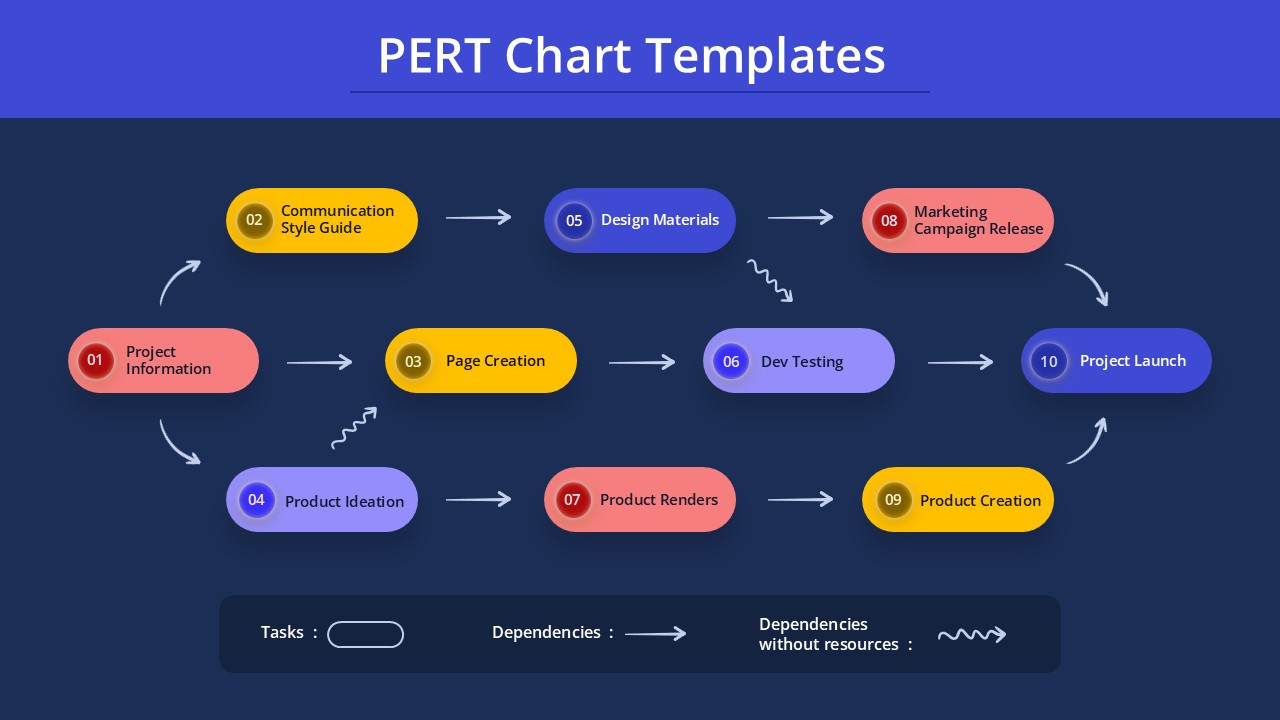
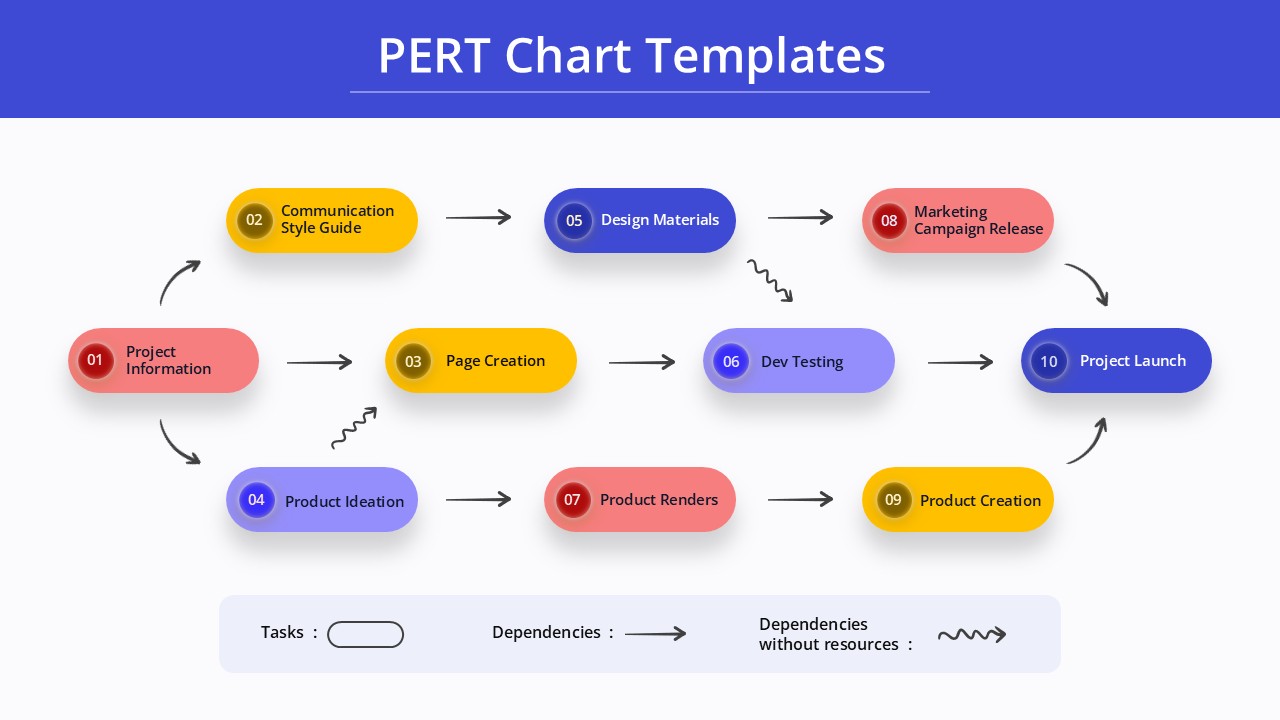
The template features a sophisticated network diagram design with interconnected oval-shaped nodes in three distinct colors – vibrant yellow, professional purple, and engaging coral red. Clean connecting arrows illustrate task dependencies and workflow relationships, while the modern flat design with subtle shadows ensures excellent readability. Available in both dark navy blue and bright white background versions, the template adapts seamlessly to different presentation contexts and corporate branding requirements.
What’s Inside Our PERT Chart Template
This comprehensive template includes 2 professionally designed slides showcasing a 10-node network structure arranged in three horizontal rows. Each slide contains fully customizable text placeholders for project tasks, from initial project information through final product launch. The intuitive legend system explains different arrow types for dependencies and resource allocation, while the consistent color coding system helps distinguish between project phases. The template’s modular design supports easy customization of task names, timelines, and connection patterns to match your specific project management requirements.
Key Features of This PERT Chart Template
- Network diagram format with 10 interconnected project task nodes
- Dual background options – professional dark and clean light versions
- Three-color node system for easy task categorization
- Comprehensive legend explaining arrow types and dependencies
- Fully editable text placeholders and connecting elements
- Modern flat design with optimal contrast for presentations
- 16:9 aspect ratio compatible with standard presentation formats
- Sequential and parallel workflow path visualization
Ideal For
This PERT chart template is perfect for project managers, operations directors, consultants, and team leaders across various industries. Whether you’re planning software development cycles, marketing campaigns, construction projects, or product launches, this template helps communicate complex project structures effectively. The design works excellently for stakeholder presentations, team briefings, client proposals, and strategic planning sessions where project planning visualization is essential for success.
Compatibility & Formats
This template is fully compatible with Microsoft PowerPoint and Google Slides, ensuring seamless editing across different platforms. All elements including text, colors, shapes, and connecting arrows are completely customizable, allowing you to adapt the design to your specific project needs and brand guidelines while maintaining professional presentation quality.
Frequently Asked Questions
How can I customize the PERT chart nodes and connections?
All elements in this PERT chart template are fully editable. You can easily change node colors, modify text content, add or remove connections between tasks, and adjust the layout to match your specific project structure. Simply click on any element to customize it in PowerPoint or Google Slides.
Can I add more tasks or change the project flow in this template?
Yes, the template is designed for complete customization. You can duplicate nodes to add more project tasks, create new connecting arrows for different dependencies, or restructure the entire network diagram to reflect your project's unique workflow and timeline requirements.
Which background version should I use for my presentation?
The template includes both dark and light background versions to suit different presentation contexts. Use the dark background for dramatic boardroom presentations or evening meetings, while the light background works well for daytime presentations, printed materials, or corporate environments with bright lighting.
Login to download this file
What do you think of this template?
Category:
Project Management
Aspect Ratio: 16:9
Item ID: SPT0636
Color


Related Templates
-
-
Project Workflow PowerPoint & Google Slides Template
Project Management
-
Business Process Mapping Template for PowerPoint & Google Slides
Project Management
-
-
-
-
-
-
Rapid Model Process Diagram Template for PowerPoint & Google Slides
Project Management
-
-
-



