Free Any Questions

This template is part of a deck featuring multiple slides. To check out all slides.
See All
Product Description
Description
This free template provides a polished and engaging way to conclude presentations with a clear invitation for audience questions. It is a fully editable presentation template, compatible with PowerPoint and Google Slides. The slide is designed to support smooth transitions into Q&A sessions while maintaining a professional tone. Its balanced layout helps presenters reinforce clarity and openness at the end of a meeting, workshop, pitch, or training session.
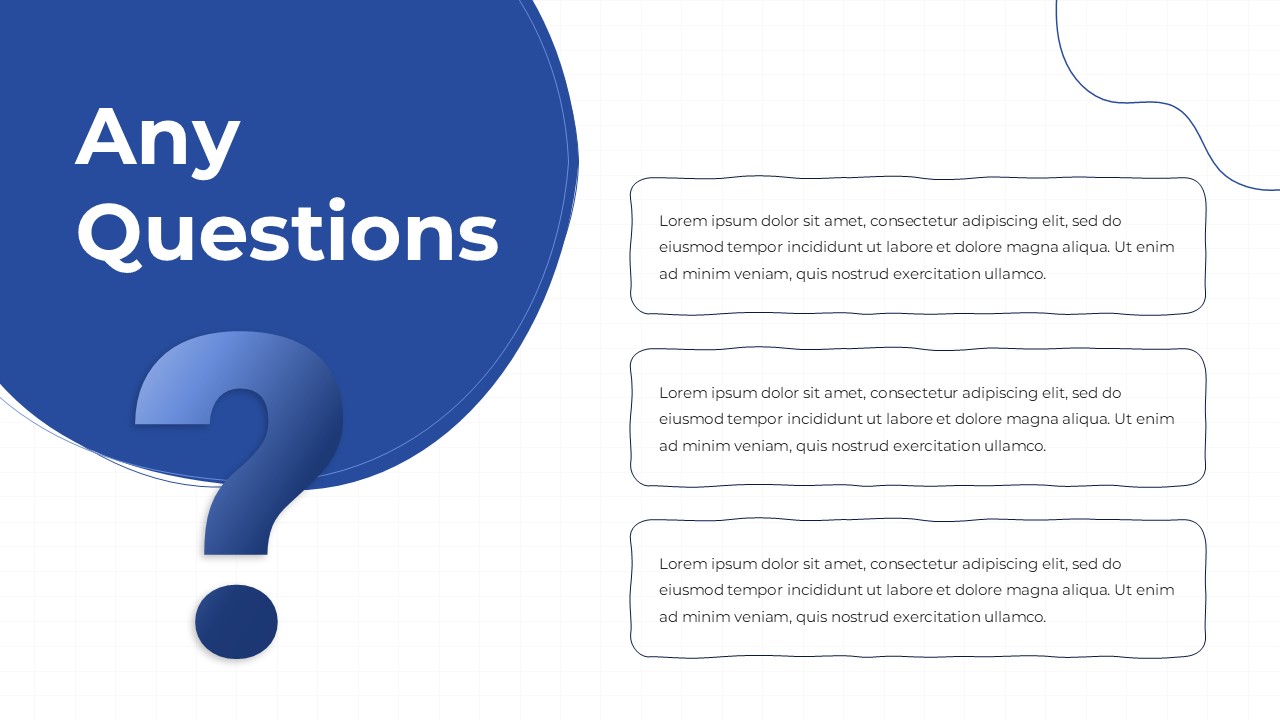
The visual composition combines a large left-aligned question motif with structured text areas on the right, creating a modern layout that guides attention toward your message. Every element is customizable, including text, shapes, and color themes, ensuring that the free design adapts to any presentation style.
What’s Inside the Template
The template features a bold left-side graphic in a deep blue tone with the “Any Questions” headline and a prominent question mark symbol. On the right side, three rounded text containers offer space for additional notes, instructions, or closing remarks. The clean grid background adds subtle structure, keeping the layout modern yet unobtrusive. The design is intentionally simple so users can personalize it for professional, academic, or creative settings.
Key Features
- Free, fully editable layout for PowerPoint and Google Slides
- Modern visual composition that highlights Q&A messaging
- Customizable text boxes for closing remarks or next steps
- Clean and organized structure for improved readability
- High contrast design suitable for various presentation themes
Ideal For
Presenters concluding business updates, workshops, training sessions, academic lectures, client meetings, or any scenario where audience engagement is encouraged. The template supports both formal and informal communications, offering a smooth visual transition into open discussion.
Slide Highlights
The large question graphic creates a strong focal point, signaling a natural pause in the presentation for feedback or inquiries. The three callout shapes allow presenters to highlight reminders, provide follow up actions, or share contact information. The overall structure helps maintain attention while ending the presentation on a clear and inviting note.
Compatibility & Formats
This free template works seamlessly in both PowerPoint and Google Slides. All text, shapes, and colors are fully customizable, and the layout adapts easily to standard or widescreen formats.
Login to download this file
What do you think of this template?