
Corrective Action Plan PowerPoint & Google Slides Template
Product Description
Corrective Action Plan Presentation Template
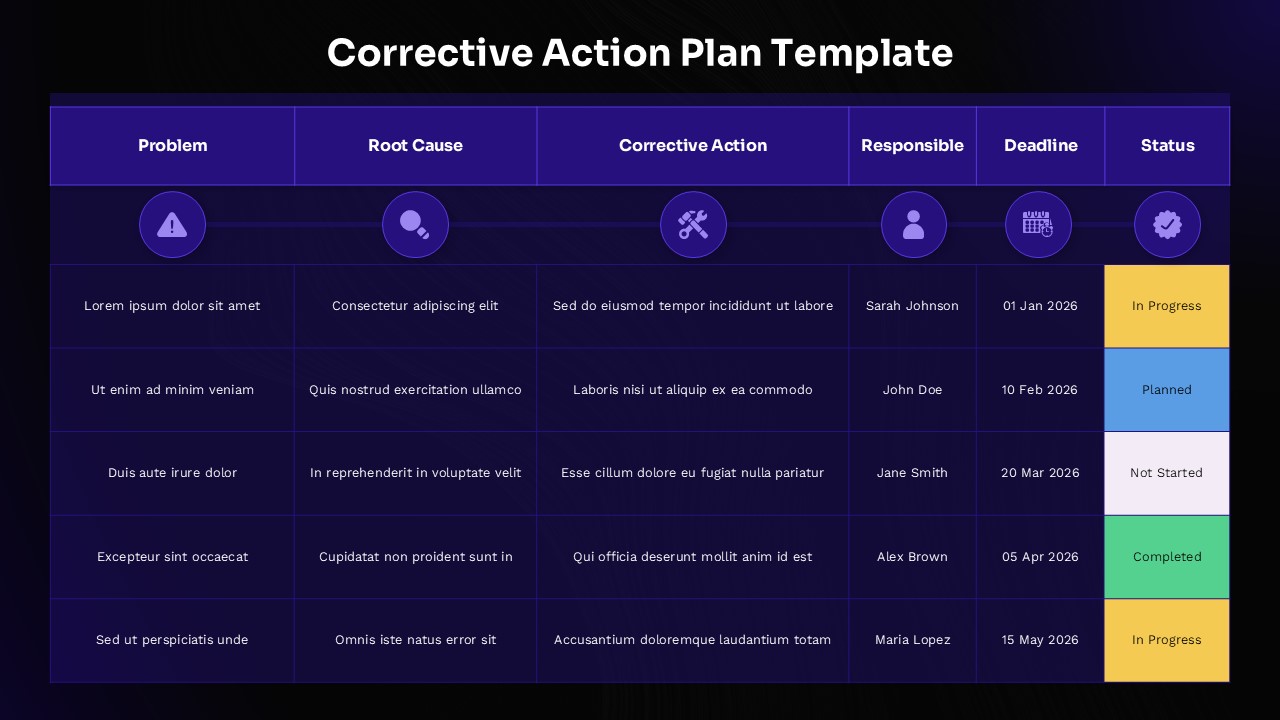
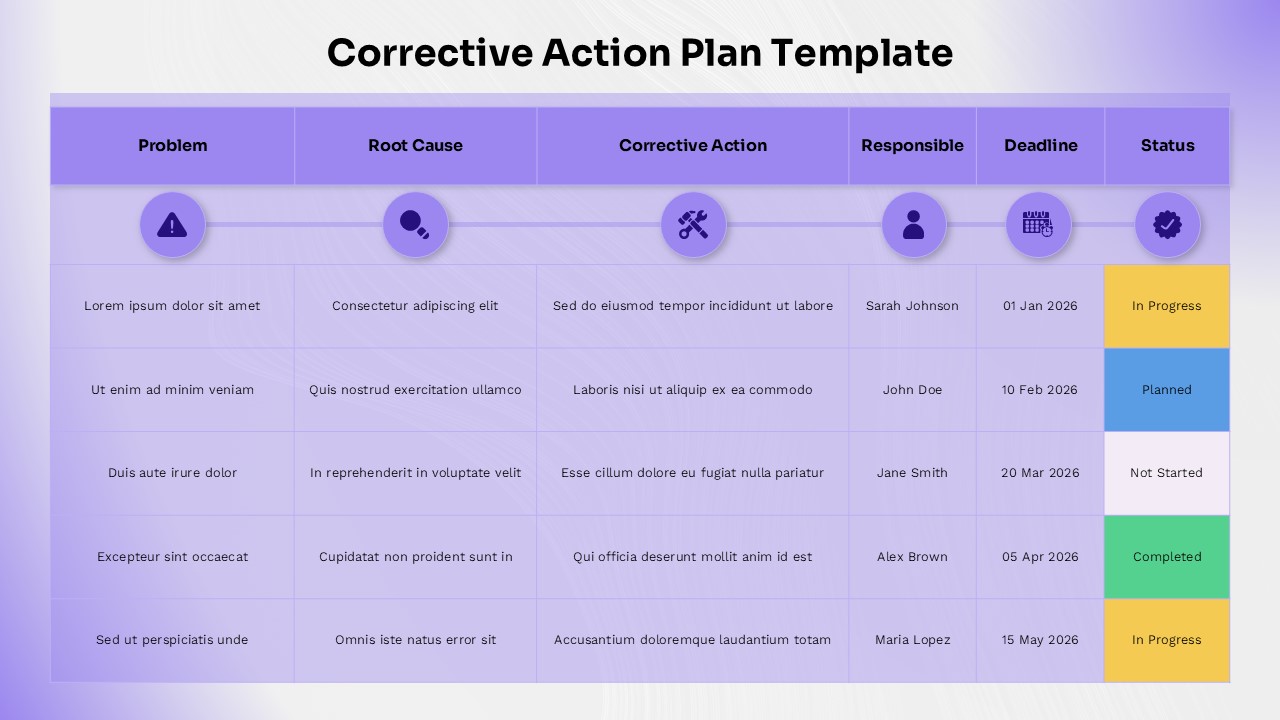
This professional corrective action plan template provides a comprehensive solution for tracking problems, root causes, and remedial actions in a structured, visually appealing format. The template is completely editable in both Microsoft PowerPoint and Google Slides, offering maximum flexibility for your presentations. Perfect for quality management systems, audit responses, and continuous improvement initiatives, this template helps organizations maintain accountability and monitor progress toward issue resolution.
The template features two distinct color variations: a sophisticated dark navy gradient background with bright purple accents, and a softer light purple theme for versatile presentation environments. Each slide showcases color-coded status indicators using yellow for “In Progress,” blue for “Planned,” gray for “Not Started,” and green for “Completed” actions. The circular purple icons with white symbols create clear visual hierarchy, while high-contrast text ensures excellent readability across different viewing conditions.
What’s Inside Our Corrective Action Plan Template
This template includes two professionally designed slides featuring identical six-column tracking tables with five data rows each. The structure encompasses Problem identification, Root Cause analysis, Corrective Action details, Responsible party assignment, Deadline tracking, and Status monitoring. Each column is topped with intuitive icons including warning triangles, magnifying glasses, tools, person symbols, calendars, and checkmarks. The layout supports easy customization of text placeholders, dates, names, and status indicators to match your specific project management requirements.
Key Features of This Corrective Action Plan Template
- Dual color theme options for different presentation environments
- Six-column tracking system with intuitive icons and clear headers
- Color-coded status indicators for quick progress visualization
- Professional gradient backgrounds with high-contrast text
- Fully customizable text placeholders and data fields
- 16:9 aspect ratio optimized for modern displays
- Easy-to-edit design elements and formatting
- Consistent visual hierarchy for professional presentations
Ideal For
This template is perfect for quality managers, project coordinators, compliance officers, and team leaders who need to document and track corrective actions systematically. It serves industries requiring stringent quality control, including manufacturing, healthcare, finance, and consulting. The template is particularly valuable for organizations implementing ISO standards, conducting internal audits, or responding to customer complaints. Whether you’re presenting to executive leadership, regulatory bodies, or cross-functional teams, this template ensures your action plan presentations maintain professional standards while clearly communicating accountability and progress.
Compatibility & Formats
This template is fully compatible with Microsoft PowerPoint and Google Slides, ensuring seamless editing across platforms. All text, colors, icons, and formatting elements are completely customizable, allowing you to adapt the design to your organization’s branding and specific requirements while maintaining professional presentation quality.
Frequently Asked Questions
Can I customize the status indicators and color coding in this corrective action plan template?
Yes, all status indicators and colors are fully customizable. You can modify the color-coded status labels (In Progress, Planned, Not Started, Completed) and change the background colors to match your organization's branding or create additional status categories as needed.
How many corrective actions can I track with this template?
The template includes 5 data rows by default, but you can easily add or remove rows to accommodate any number of corrective actions. The table structure is designed to be flexible, allowing you to scale the tracking system based on your project requirements.
Are both color variations included in the download?
Yes, the template includes both the dark navy gradient version and the light purple theme variation. This gives you the flexibility to choose the most appropriate color scheme for your presentation environment, audience preferences, or corporate branding guidelines.
Login to download this file
What do you think of this template?
Category:
Project Management
Aspect Ratio: 16:9
Item ID: SPT0617
Color


Related Templates
-
-
-
-
Migration Plan Process Presentation Template for PowerPoint & Google Slides
Project Management
-
-
-
-
Stage Gate Process Google Slides & PowerPoint Template
Business Strategy
-
-
-
-
Business Process Mapping Template for PowerPoint & Google Slides
Project Management



