
Cost Benefit Analysis Matrix Google Slides & PowerPoint Template
Product Description
Cost Benefit Analysis Presentation Template
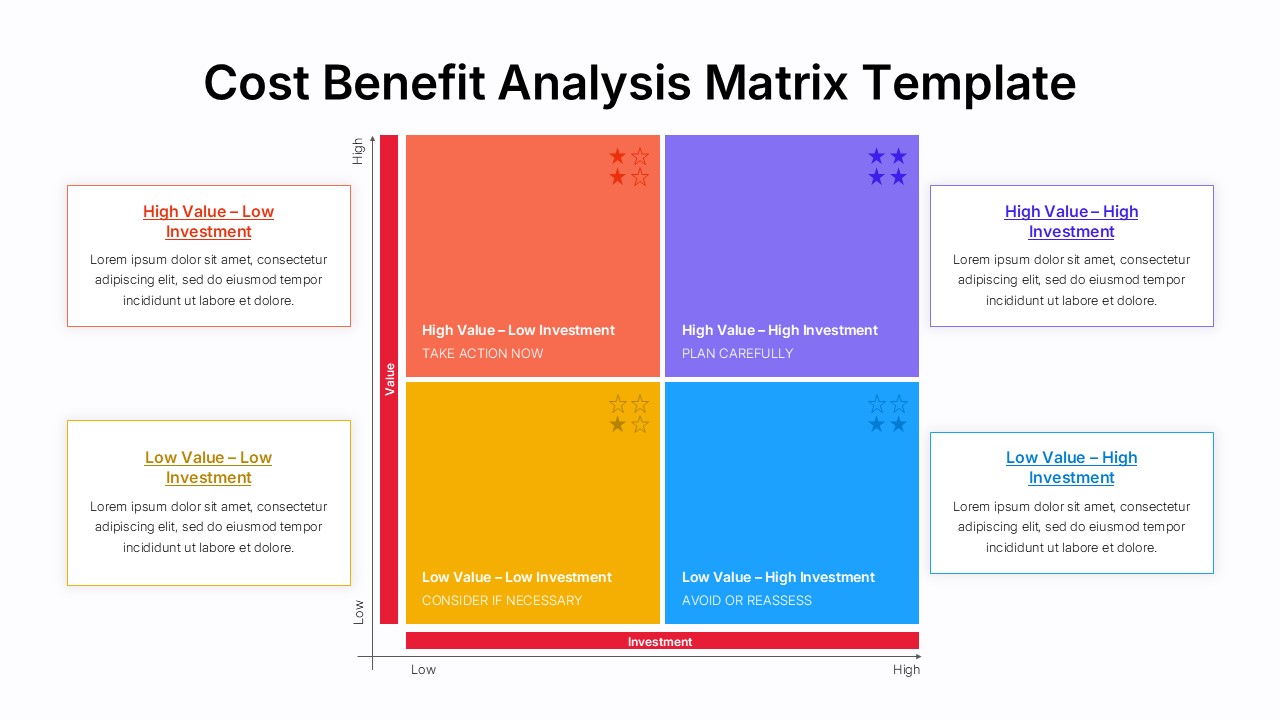
The Cost Benefit Analysis Matrix template delivers a powerful strategic framework for evaluating investments and prioritizing business initiatives. This professionally designed presentation features a clear 2×2 matrix layout with vibrant color-coding that instantly communicates value versus investment relationships. The template is completely editable in both Microsoft PowerPoint & Google Slides, allowing teams to customize every element for their specific analysis needs. Perfect for executive presentations, strategic planning sessions, and project portfolio reviews, this template transforms complex decision-making processes into clear, actionable visual insights.
What’s Inside the Cost Benefit Analysis Matrix Template
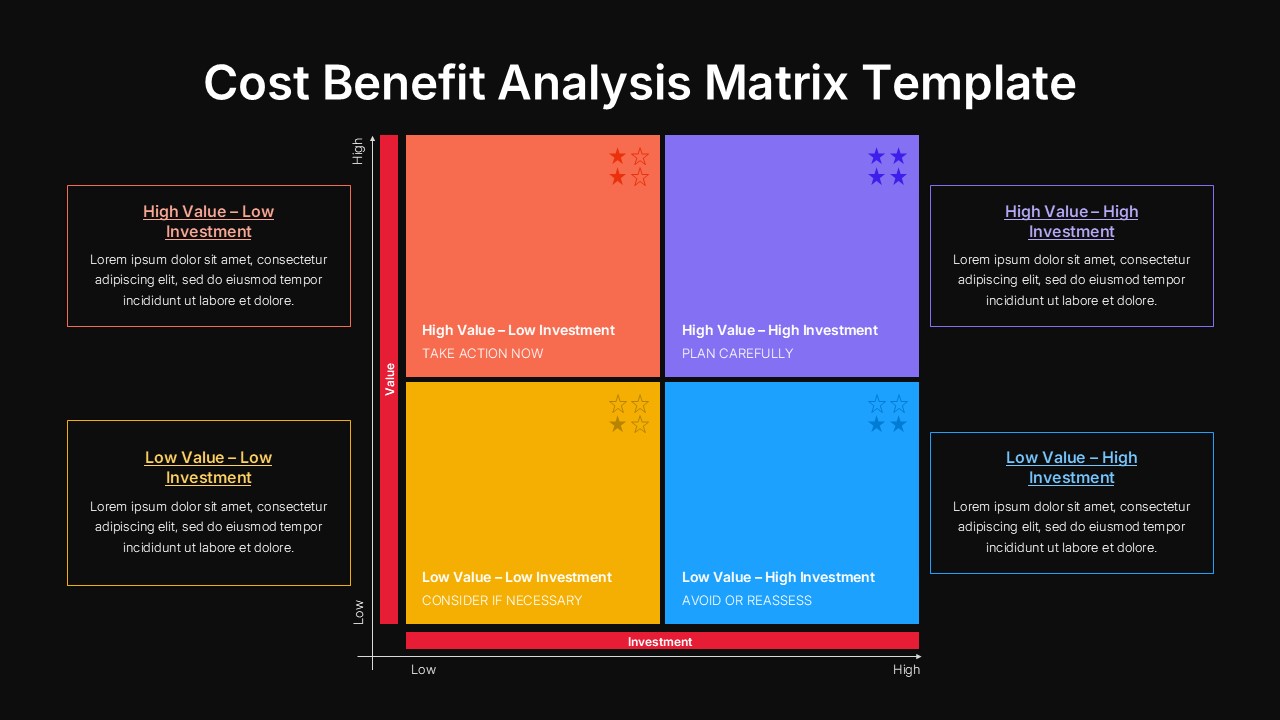
This comprehensive template includes 2 professionally crafted slides featuring identical matrix layouts with contrasting background options. Each slide presents a structured 2×2 grid with horizontal investment axis (Low to High) and vertical value axis (Low to High), creating four distinct quadrants with strategic recommendations. The design incorporates star rating indicators, action-oriented labels like “TAKE ACTION NOW” and “PLAN CAREFULLY,” plus detailed text placeholders in corner boxes for comprehensive project descriptions. The template offers both light and dark background variants to suit different presentation contexts and corporate branding requirements.
Key Features of Cost Benefit Analysis Matrix Template
- Professional 2×2 matrix framework with clear value-investment axes
- Vibrant color-coded quadrants for instant visual prioritization
- Action-oriented recommendations for each strategic category
- Star rating system for priority visualization
- Dual background options (light and dark variants)
- Fully customizable text placeholders and design elements
- 16:9 aspect ratio optimized for modern displays
- Compatible with both PowerPoint and Google Slides platforms
Ideal For
This template serves strategic planners, project managers, executives, and consulting professionals who need to present complex investment decisions clearly. Business analysts conducting portfolio reviews, startup founders evaluating feature priorities, and corporate teams managing resource allocation will find this framework invaluable. The template works perfectly for board presentations, strategic planning workshops, budget allocation meetings, and project prioritization sessions where stakeholders need to understand the relationship between investment requirements and expected value delivery.
Slide Highlights
The template showcases a sophisticated color palette with red-orange tones highlighting high-priority opportunities, purple-blue sections indicating strategic planning areas, yellow-gold zones for low-priority considerations, and bright blue quadrants signaling caution areas. Each quadrant features clean typography, intuitive star rating indicators, and spacious text areas for detailed project descriptions. The matrix design maintains excellent readability across both light and dark backgrounds, ensuring your strategic insights remain clear and impactful regardless of presentation environment or audience preferences.
Compatibility & Formats
This Cost Benefit Analysis Matrix template offers seamless compatibility with Microsoft PowerPoint and Google Slides, ensuring universal accessibility across teams and platforms. Every design element, from color schemes to text formatting, remains fully editable, allowing complete customization to match your organization’s branding and analytical requirements while maintaining professional presentation quality.
Frequently Asked Questions
How do I customize the quadrant labels and recommendations in the Cost Benefit Analysis Matrix?
All text elements in the template are fully editable. Simply click on any quadrant label, recommendation text, or description box to modify the content. You can change the strategic categories, action items, and detailed descriptions to match your specific analysis requirements while maintaining the professional design structure.
Can I modify the colors of each quadrant to match my company branding?
Yes, the template offers complete color customization. You can easily change the quadrant colors, background tones, and text colors to align with your corporate branding guidelines. The design maintains its visual impact and readability regardless of color modifications.
What types of projects or decisions work best with this matrix template?
This template is ideal for evaluating any initiatives where you need to balance value potential against investment requirements. Common applications include software feature prioritization, marketing campaign selection, product development decisions, resource allocation planning, and strategic project portfolio management across various industries.
Login to download this file
What do you think of this template?
Category:
Business Strategy
Aspect Ratio: 16:9
Item ID: SPT0580
Color


Related Templates
-
-
-
-
-
Harvey Balls Google Slides & PowerPoint Template
Business Strategy
-
-
-
-
30-60-90 Day Executive Plan Template Google Slides & PowerPoint Template
Business Strategy
-
Puzzle Piece PowerPoint & Google Slides Template
Business Strategy
-
-
STEEPLE Analysis Framework Infographic for PowerPoint & Google Slides
Business Strategy



