Do’s and Don’ts Slide Template

This template is part of a deck featuring multiple slides. To check out all slides.
See AllProduct Description
Overview
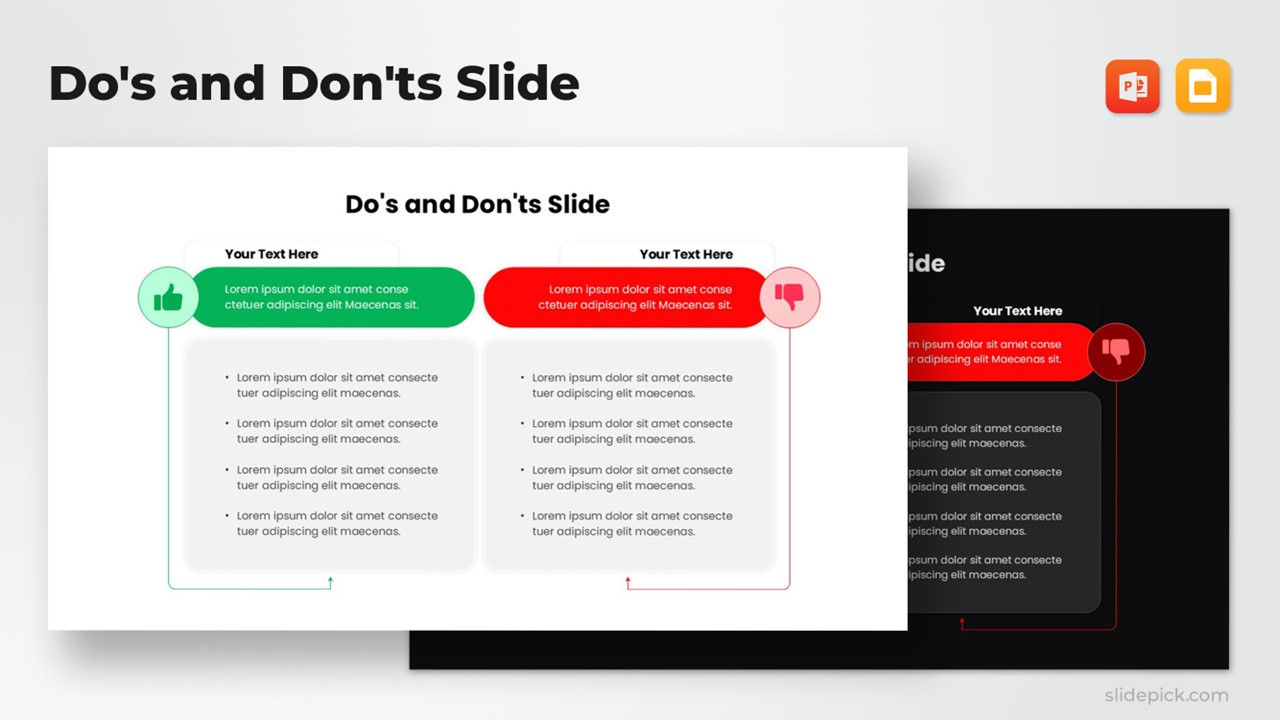
This Do’s and Don’ts comparison slide provides a clean, structured format for presenting recommended actions versus common pitfalls. Designed with a balanced two-column layout, it helps audiences quickly distinguish positive practices from those to avoid. The use of clear visual cues—including green approval symbols and red caution indicators—ensures your message is immediately understood during presentations, workshops, or training sessions. The minimal, modern layout keeps the focus on your content while enhancing clarity and engagement.
What’s Inside the Template
The slide features two distinct comparison panels placed side by side. The left panel highlights best practices, supported by a green header and an accompanying thumbs-up icon. The right panel presents the corresponding don’ts using a red header and a thumbs-down icon. Each section includes multiple bullet points within soft rounded containers, giving presenters space to summarize behaviors, strategies, requirements, or guidelines. Both columns are visually balanced, ensuring smooth readability and easy content scanning for viewers.
Key Features
- Clear two-column layout for direct comparison
- Color-coded design to reinforce positive versus negative actions
- Rounded content blocks that enhance structure and visual hierarchy
- Easy-to-edit text placeholders for customizing messages
- Minimal, distraction-free aesthetic suited for professional use
- Supports concise bullet lists for fast audience comprehension
Ideal For
This template is ideal for HR teams outlining workplace guidelines, managers coaching staff, educators teaching best practices, consultants presenting strategic do’s and don’ts, and business leaders communicating standards or operational expectations. It also works well in training manuals, onboarding decks, compliance briefings, and internal communication sessions requiring clear behavioral or procedural contrasts.
Slide Highlights
- Thumbs-up and thumbs-down icons that instantly differentiate recommended versus discouraged actions
- Bold header bars in green and red for intuitive categorization
- Spacious bullet lists designed for digestible, high-impact content
- Clean dividing structure that helps audiences understand contrasting ideas at a glance
Compatibility & Formats
This template is fully compatible with Microsoft PowerPoint and Google Slides, ensuring smooth editing, formatting consistency, and effortless integration into existing presentations. All visual elements can be adjusted to fit your brand colors or presentation theme.
Login to download this file
What do you think of this template?