
Eisenhower Matrix Google Slides & PowerPoint Template
Product Description
Eisenhower Matrix Presentation Template
This professional Eisenhower Matrix template transforms your task prioritization process with a visually compelling 2×2 matrix design featuring engaging 3D illustrations and puzzle piece elements. The template is completely editable in both Microsoft PowerPoint and Google Slides, making it an essential tool for productivity presentations, time management workshops, and strategic planning sessions. With its clear quadrant structure dividing tasks by urgency and importance, this template helps audiences quickly grasp the decision-making framework that drives effective prioritization.
What’s Inside the Eisenhower Matrix Template
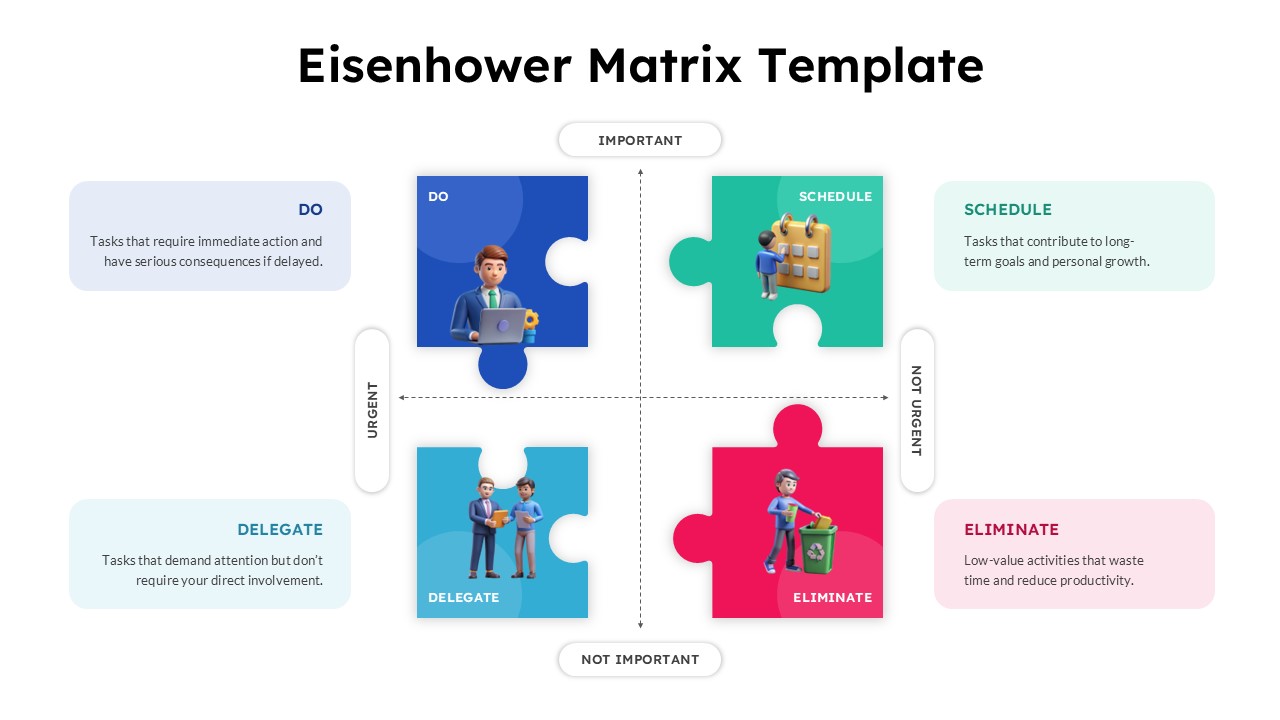
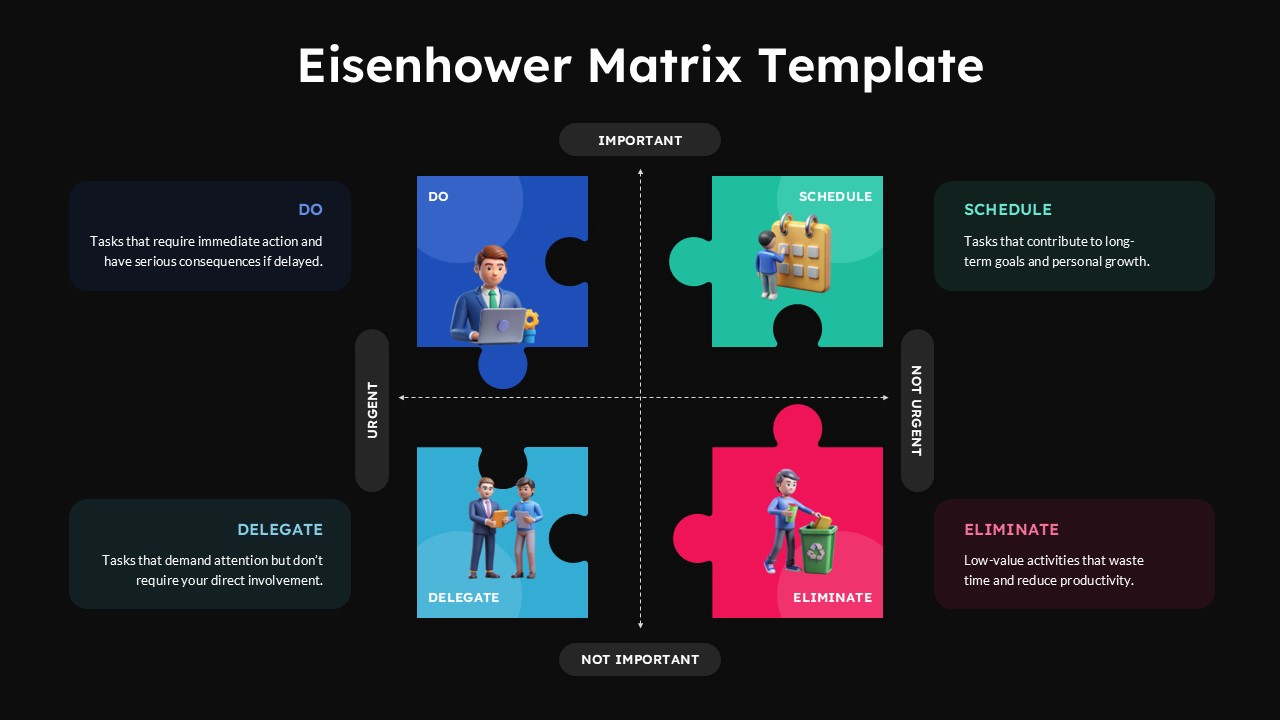
The template includes two professionally designed slides featuring identical 2×2 matrix layouts with distinct visual themes. Each slide presents four color-coded quadrants (DO, SCHEDULE, DELEGATE, ELIMINATE) with descriptive text placeholders explaining task categories and priority levels. The design incorporates 3D cartoon-style business characters, puzzle piece graphics with soft shadows, and clear axis labeling for urgent/not urgent and important/not important classifications. One slide features a light background while the second offers a dramatic dark theme option, both maintaining consistent visual hierarchy and readability.
Key Features of Eisenhower Matrix Template
- 2×2 matrix format with puzzle piece design elements for visual appeal
- Dual theme options: light background and professional dark background versions
- Color-coded quadrants with descriptive text placeholders for each priority category
- 3D illustrated business characters enhancing engagement and understanding
- Clear axis labeling for urgency and importance dimensions
- Fully editable text, colors, and graphics in both PowerPoint and Google Slides
- Professional rounded corners and soft shadows for modern aesthetic
- 16:9 aspect ratio optimized for widescreen presentations
Ideal For
This template serves project managers, business executives, productivity coaches, and team leaders who need to communicate effective task prioritization strategies. It’s particularly valuable for business strategy presentations, time management training sessions, and personal development workshops. HR professionals conducting employee training, consultants guiding organizational efficiency, and entrepreneurs managing startup priorities will find this template invaluable for creating clear, actionable presentations that resonate with diverse audiences.
Slide Highlights
The template showcases a sophisticated color palette with blue representing urgent-important tasks, green for scheduled activities, light blue for delegation opportunities, and pink-red for elimination candidates. Each quadrant features carefully crafted 3D illustrations showing business professionals in relevant scenarios, creating visual storytelling that reinforces the prioritization concepts. The puzzle piece motifs symbolize how different tasks fit together in overall productivity, while clean typography and strategic white space ensure excellent readability for decision making discussions across various presentation environments.
Compatibility & Formats
Both slides are fully compatible with Microsoft PowerPoint and Google Slides, ensuring seamless editing and customization across platforms. All text elements, colors, graphics, and layout components are completely editable, allowing you to adapt the content to your specific organizational needs while maintaining the professional design integrity that makes this template effective for executive-level presentations.
Frequently Asked Questions
Can I customize the colors and text in each quadrant of the Eisenhower Matrix?
Yes, all elements in the template are fully editable. You can change the colors of each quadrant, modify the descriptive text, and customize the 3D illustrations to match your brand or presentation needs in both PowerPoint and Google Slides.
Which theme should I choose - the light or dark background version?
Choose based on your presentation context and audience preference. The light background version works well for training sessions and workshops, while the dark theme version is ideal for executive presentations, strategic meetings, or when you want a more dramatic, modern aesthetic.
Is this template suitable for team training on task prioritization?
Absolutely! The Eisenhower Matrix template is perfect for team training sessions. The visual 3D illustrations and clear quadrant descriptions help team members understand and apply the urgent-important framework to their daily tasks and project management responsibilities.
Login to download this file
What do you think of this template?
Category:
Consulting
Aspect Ratio: 16:9
Item ID: SPT0603
Color


Related Templates
-
-
-
-
RFP Process Workflow Template for PowerPoint & Google Slides
Business Strategy
-
AI Readiness Checklist Google Slides & PowerPoint Template
Business Strategy
-
-
Product Roadmap Google Slides & PowerPoint Template
Business Strategy
-
-
-
Harvey Balls Google Slides & PowerPoint Template
Business Strategy
-
-



