
Process Improvement PowerPoint & Google Slides Template
Product Description
Process Improvement Template editable in PowerPoint & Google Slides is a pre-designed presentation toolkit built around a visual cycle model that walks teams through every stage of process improvement in a clear, repeatable format.
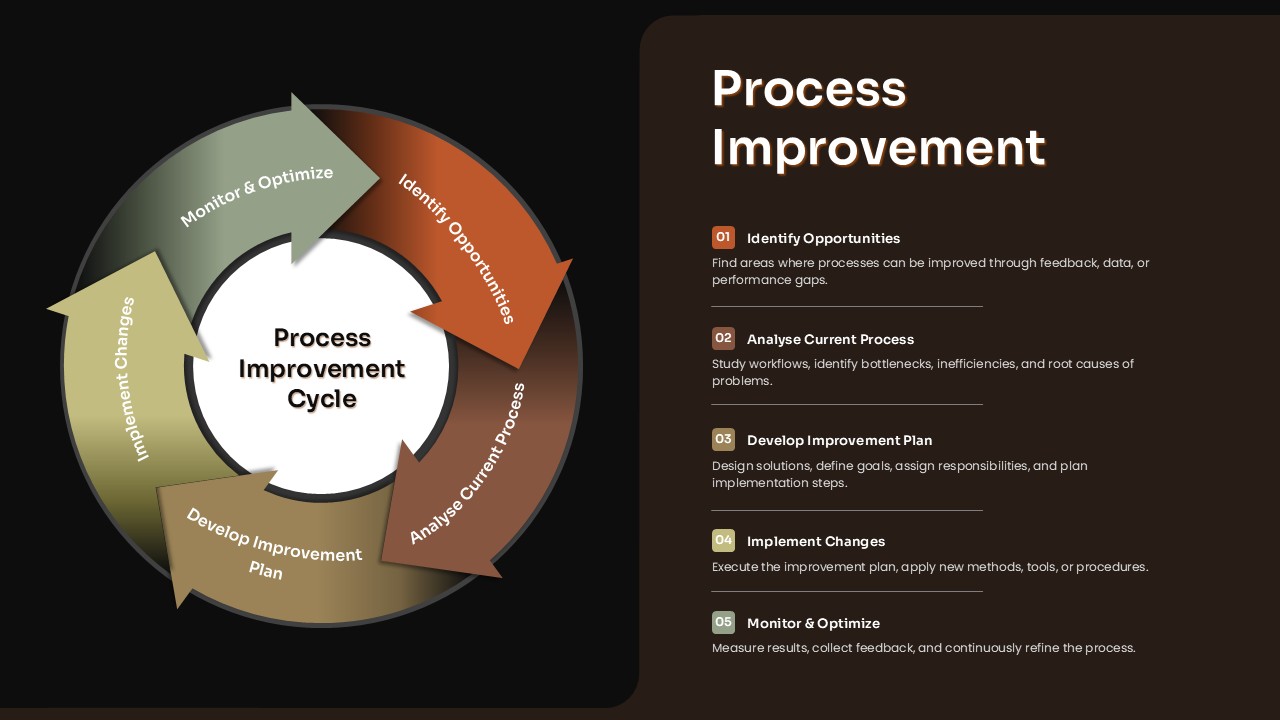
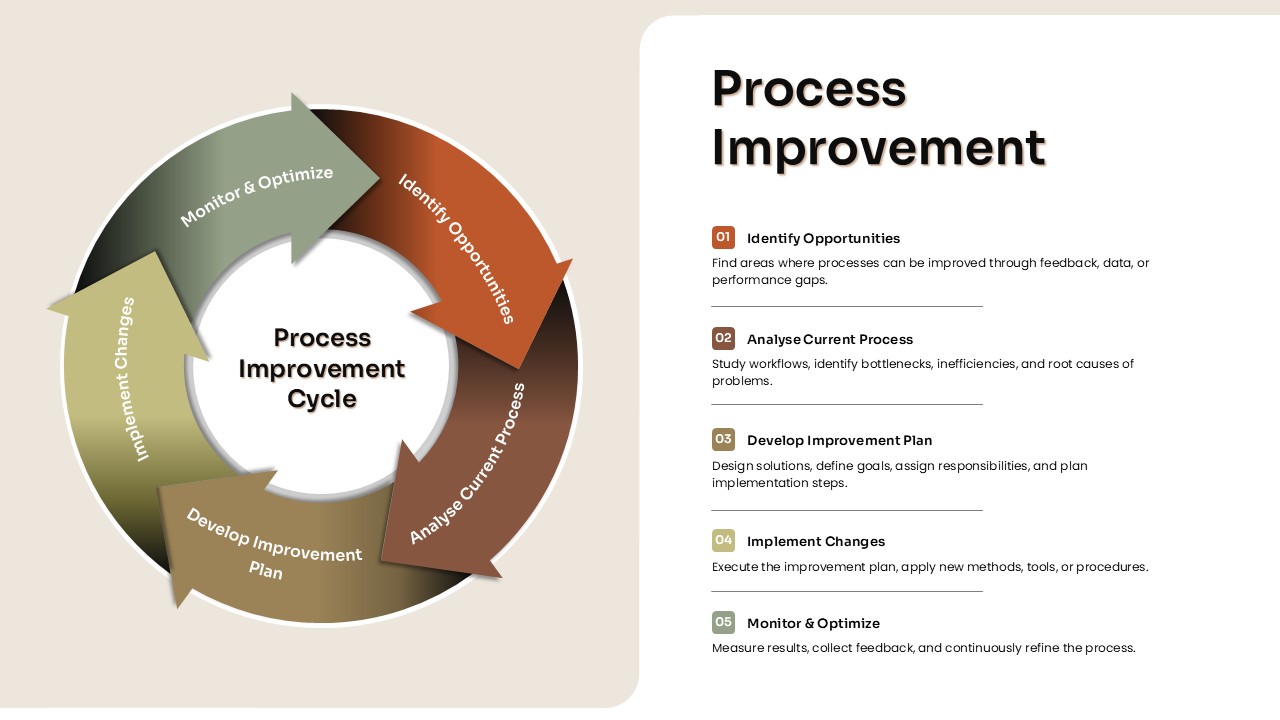
The template features a circular Process Improvement Cycle diagram with five defined stages: Identify Opportunities, Analyze Current Process, Develop Improvement Plan, Implement Changes, and Monitor & Optimize. Each stage is color-coded and visually distinct, making it easy for audiences to follow the flow during a presentation. The cycle design communicates that process improvement is not a one-time project but an ongoing, continuous practice.
Each stage in the cycle is supported by a numbered breakdown on the same slide. For example, the Identify Opportunities stage prompts teams to find areas where processes can be improved through feedback, data, or performance gaps. For example, the Analyze Current Process stage directs teams to study workflows, identify bottlenecks, inefficiencies, and root causes of problems. For example, the Monitor and Optimize stage focuses on measuring results, collecting feedback, and continuously refining the process.
The dark background with earthy toned arrows gives the slide a professional, boardroom-ready appearance. Fully editable in both PowerPoint and Google Slides.
You can use this slide as the centerpiece of a department improvement presentation, a Lean or Six Sigma project kickoff, a management review meeting, or an employee training session on internal workflows. The numbered list on the right side of the slide makes it easy to present each stage one at a time or as a complete overview.
Download this Process Improvement Template and use the cycle diagram slide to present your improvement strategy to leadership, align your team on responsibilities, and build a shared understanding of where your process currently stands and where it needs to go.
Frequently Asked Questions
Can I customize the colors in the circular process diagram?
Yes, all colors in the template are fully customizable. You can easily modify the earth-tone color palette to match your brand colors or presentation theme while maintaining the professional 3D visual effects.
Is this template suitable for both Lean and Six Sigma methodologies?
Absolutely. The flexible 5-step circular process design can be adapted for various improvement methodologies including Lean, Six Sigma, Kaizen, or any custom continuous improvement framework your organization uses.
Can I add more steps to the circular process diagram?
Yes, the template's design allows for modification of the process steps. You can add, remove, or rearrange steps in the circular diagram to accommodate your specific process improvement methodology requirements.
Login to download this file
What do you think of this template?
Category:
Business Strategy
Aspect Ratio: 16:9
Item ID: SPT0661
Color


Related Templates
-
Stage Gate Process Google Slides & PowerPoint Template
Business Strategy
-
-
-
-
Roll Out Plan PowerPoint Template
Business Strategy
-
Design Process Timeline PowerPoint & Google Slides Presentation Template
Project Management
-
-
SOAR Analysis Google Slides & PowerPoint Template
Business Strategy
-
-
-
IT Governance Framework Template Editable in PowerPoint & Google Slides
Business Strategy
-



