
Project Management Process Flow Template for PowerPoint & Google Slides
Product Description
Project Management Process Template
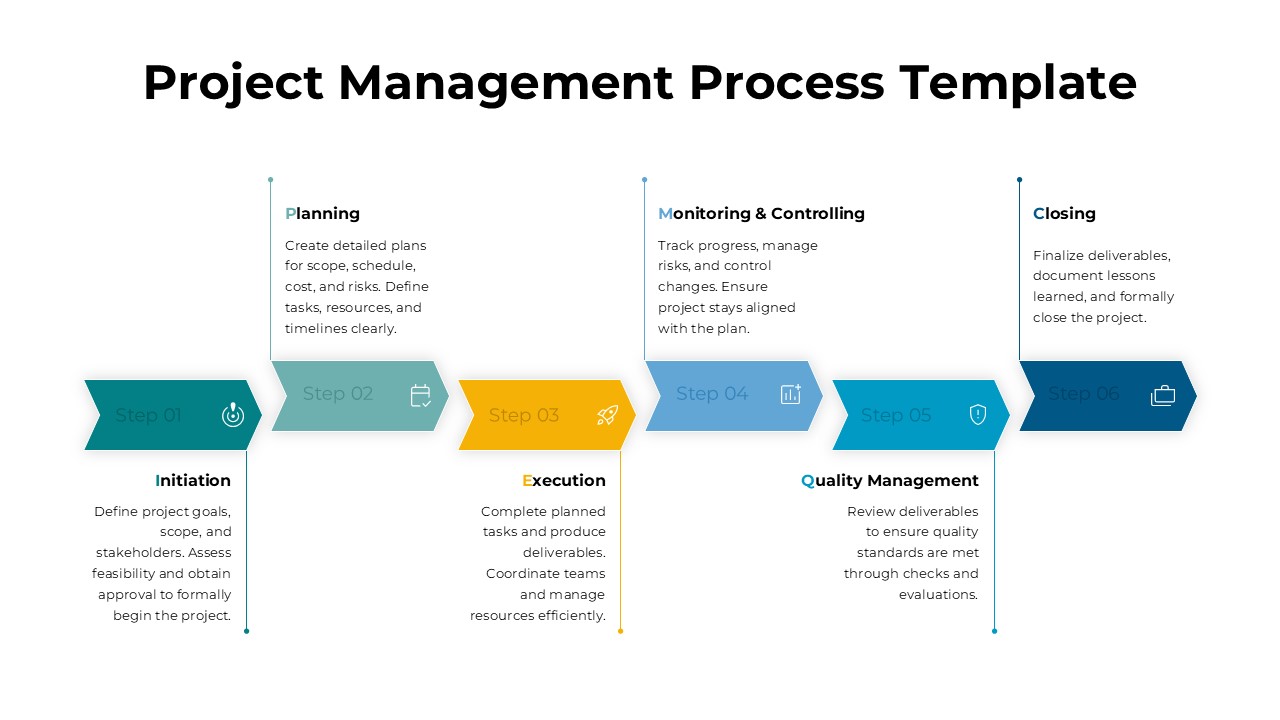
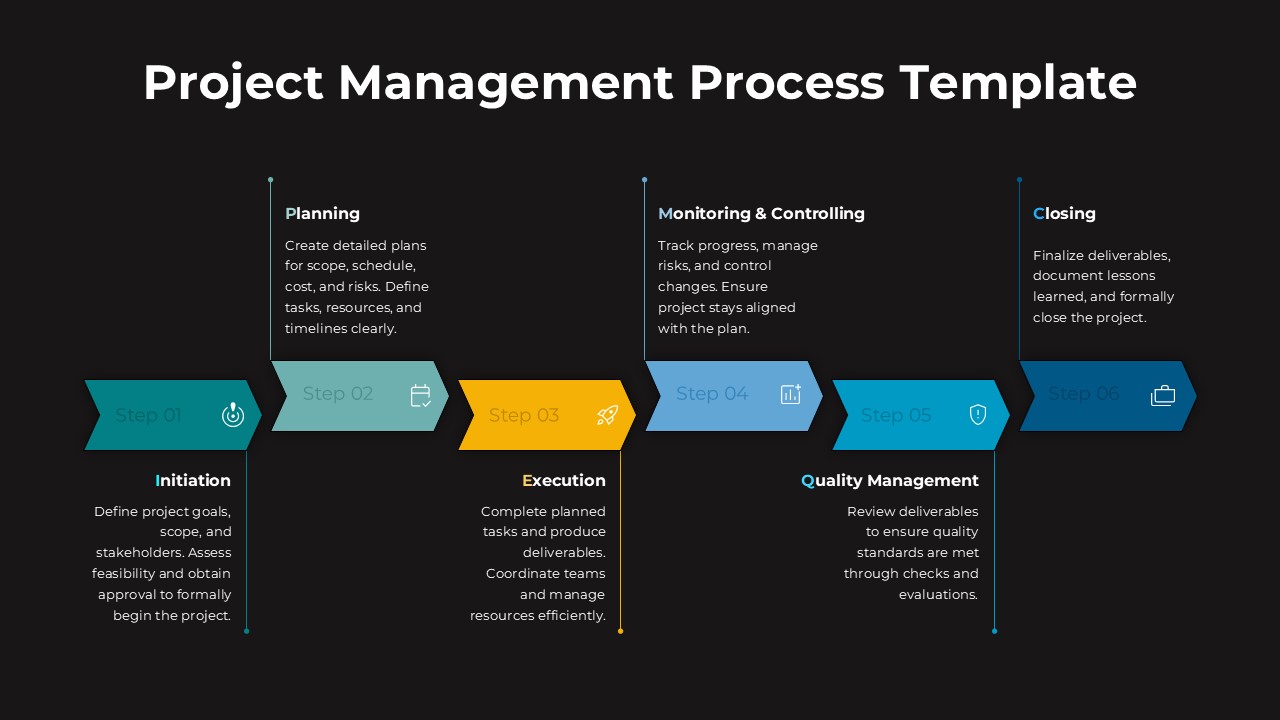
This presentation focuses on explaining the project management process through a structured step by step flow. It is a fully editable presentation template designed to visualize the complete lifecycle of a project clearly. The template is compatible with PowerPoint and Google Slides, allowing flexible editing and reuse. It helps teams communicate how projects move from initiation to closure in an organized and professional way.
The visual structure presents the process as a linear progression, making it easy to follow key phases and responsibilities. Each stage is clearly separated while remaining connected, ensuring audiences understand both sequence and dependency. The design supports clarity, alignment, and consistency in project related discussions.
What’s Inside the Project Management Template
The template includes a single process flow slide divided into six clearly defined stages. Each stage features a labeled step with supporting text space for brief explanations. Vertical connectors link descriptive content to each process step, reinforcing clarity without overcrowding the slide. The layout balances visuals and text, making it suitable for both high level overviews and detailed walkthroughs.
Key Features of Project Management Template
- Six step project management process flow layout
- Clearly labeled phases from initiation to closing
- Editable arrows, text areas, and icons
- Clean structure for easy explanation of workflows
- Professional design optimized for business presentations
Ideal For
This template is ideal for project managers, consultants, PMOs, and team leads presenting project workflows. It works well for project kickoffs, stakeholder updates, training sessions, and internal documentation. Educators and students can also use it to explain standard project management frameworks in a visual and easy to understand format.
Slide Highlights
The slide highlights the logical progression of a project through planning, execution, monitoring, quality management, and closure. Color differentiation helps viewers quickly distinguish each phase while maintaining visual consistency. The horizontal flow supports storytelling and makes it easier to explain responsibilities, deliverables, and checkpoints at each stage.
Compatibility & Formats
This presentation is fully compatible with PowerPoint and Google Slides. All elements are vector based for smooth scaling and easy customization. Formatting remains consistent across platforms, ensuring reliable collaboration, sharing, and presentation delivery.
Login to download this file
What do you think of this template?
Category:
Project Management
Aspect Ratio: 16:9
Item ID: SPT0392
Color


Related Templates
-
-
-
-
-
End to End Process Flow Diagram Template for PowerPoint & Google Slides
Project Management
-
-
-
-
-
Migration Plan Process Presentation Template for PowerPoint & Google Slides
Project Management
-
-



