Project Timeline Template

This template is part of a deck featuring multiple slides. To check out all slides.

See All round right arrow

Product Description

Description

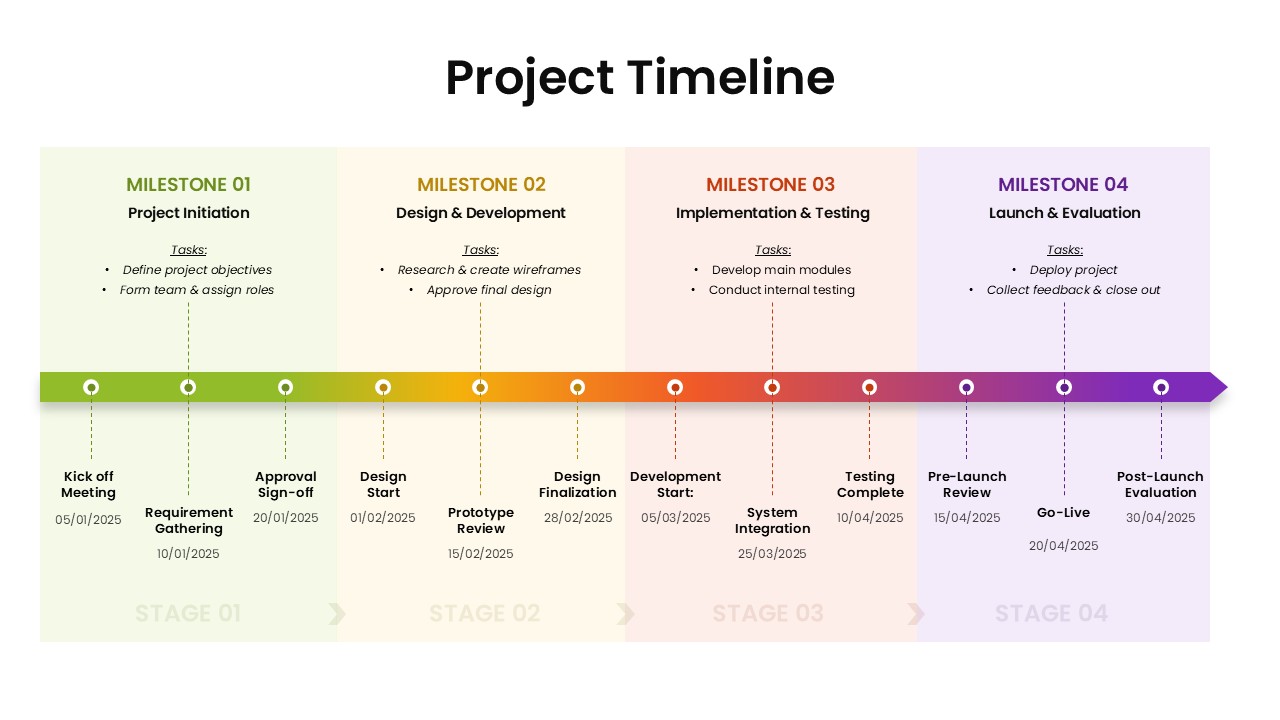
This professionally designed project timeline template provides a clear, structured snapshot of a multi-phase project from initiation to launch. With four color-coded milestone sections, it helps teams communicate timelines, dependencies, and critical checkpoints in a visually intuitive way. The layout combines clean typography, soft gradients, and clear task markers, making it ideal for presentations that require both clarity and a polished, modern look. Whether you're briefing stakeholders or guiding internal teams, this timeline ensures every phase is easy to understand and aligned with project goals.

What’s Inside the Template

The template features a horizontal timeline divided into four major milestones: Project Initiation, Design & Development, Implementation & Testing, and Launch & Evaluation. Each milestone includes its own task list, key dates, and stage indicators. Important project events such as requirement gathering, prototype review, testing completion, and go-live are displayed with markers that enhance readability. The layout also integrates a continuous gradient timeline bar, enabling viewers to follow progress from start to finish seamlessly.

Key Features

  • Four clearly defined milestones with structured task lists
  • Chronological flow from kickoff to post-launch evaluation
  • Balanced color palette for quick stage differentiation
  • Task markers and dotted connectors for visual clarity
  • Ideal for high-level reporting, progress updates, and stakeholder reviews
  • Fully editable text, colors, and layout for customization in both PowerPoint and Google Slides

Ideal For

This template is well suited for project managers, team leads, consultants, operations managers, and PMO teams who need to present project stages with clear sequencing. It is also valuable for client presentations, sprint reviews, roadmap discussions, or onboarding materials where organized timelines support decision-making.

Slide Highlights

Key highlight elements include milestone headers with supportive task lists, event-specific icons aligned along the horizontal timeline, and date labels that anchor each deliverable. The gradient bar visually connects all stages, reinforcing continuity. Each stage block uses subtle background color differences to ensure quick comprehension without overwhelming the viewer.

Compatibility & Formats

This template is fully compatible with both Microsoft PowerPoint and Google Slides. All elements are vector-based, ensuring crisp visuals and easy edits across platforms.

Login to download this file

What do you think of this template?

Rating

0.0

(0 reviews)