Editable Simple Gantt Chart PowerPoint Template

Simple Gantt Chart Planning Google Slides Template

This template is part of a deck featuring multiple slides. To check out all slides.

See All round right arrow
Simple Gantt Chart Planning Template for PowerPoint & Google Slides

Product Description

Simple Gantt Chart

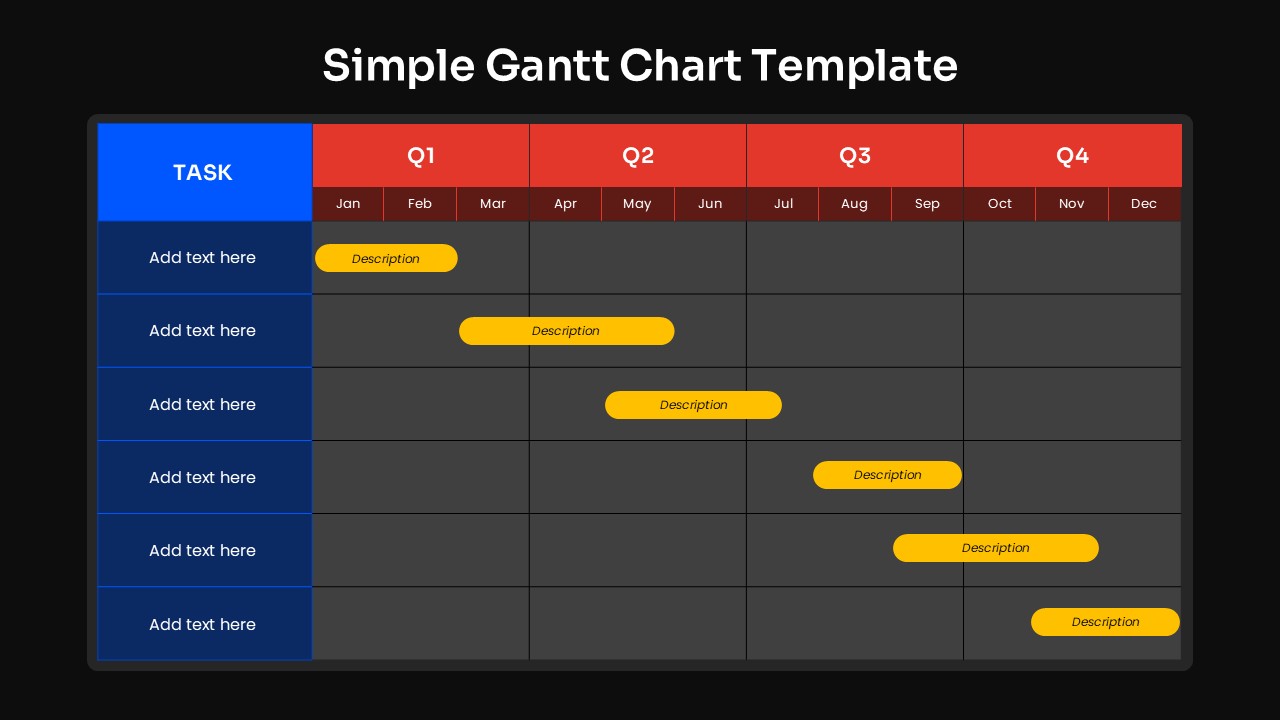
This simple Gantt chart presentation template is designed to help teams visualize project timelines, task durations, and quarterly planning with clarity. The product is a fully editable presentation template, compatible with PowerPoint and Google Slides. It offers a clean and structured layout that supports project scheduling, milestone tracking, and workload coordination across multiple tasks. The minimal design ensures quick readability, making it ideal for project reviews, planning sessions, and status updates. Users can easily adjust colors, task labels, and timeline bars to match any project framework or organizational style.

What’s Inside the Simple Gantt Chart Template

The template features a horizontal timeline divided into four quarters, with each quarter broken into monthly segments. On the left, a task column provides space for labeling individual project activities. Each row contains editable yellow progress bars that represent duration and timing across the calendar months. The crisp white grid paired with bold quarter headers helps audiences quickly understand scheduling patterns and task dependencies. Its straightforward structure makes it practical for both simple and moderately detailed project plans.

Key Features of Simple Gantt Chart Template

• Fully editable Gantt chart grid and timeline bars
• Quarterly and monthly breakdown for precise scheduling
• Clear task labeling column for organized project planning
• Minimal, professional layout suitable for all project types
• Compatible with PowerPoint and Google Slides
• Easy to customize for deadlines, milestones, and deliverables

Ideal For

Project managers, team leads, product owners, educators, and operations professionals can use this template to present schedules, plan sprints, track timelines, or coordinate multi phase initiatives. It is effective for project kickoffs, roadmap discussions, and progress reporting in both corporate and academic settings.

Slide Highlights

The slide balances structure and simplicity by combining a classic table layout with bright, eye catching task bars. The four quarter division helps frame long term planning, while monthly columns provide finer detail when needed. With its spacious layout, the template keeps timelines readable even when multiple tasks overlap. The blue task header adds contrast and helps anchor the design.

Compatibility & Formats

This template is fully compatible with PowerPoint and Google Slides. Users can modify task names, adjust bar lengths, change colors, and duplicate rows to expand the chart. It integrates easily into broader project documentation or presentation decks.

Login to download this file

What do you think of this template?

Rating

0.0

(0 reviews)