
Stage Gate Process Google Slides & PowerPoint Template
Product Description
Stage Gate Process Presentation
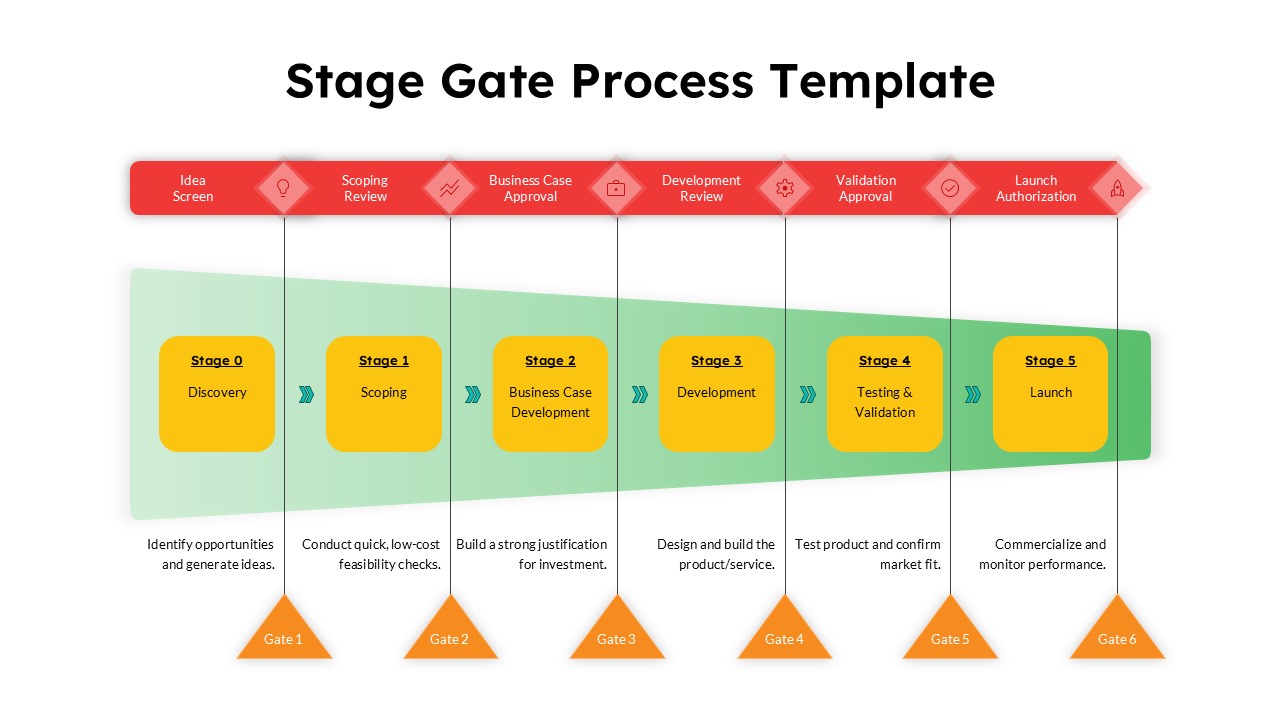
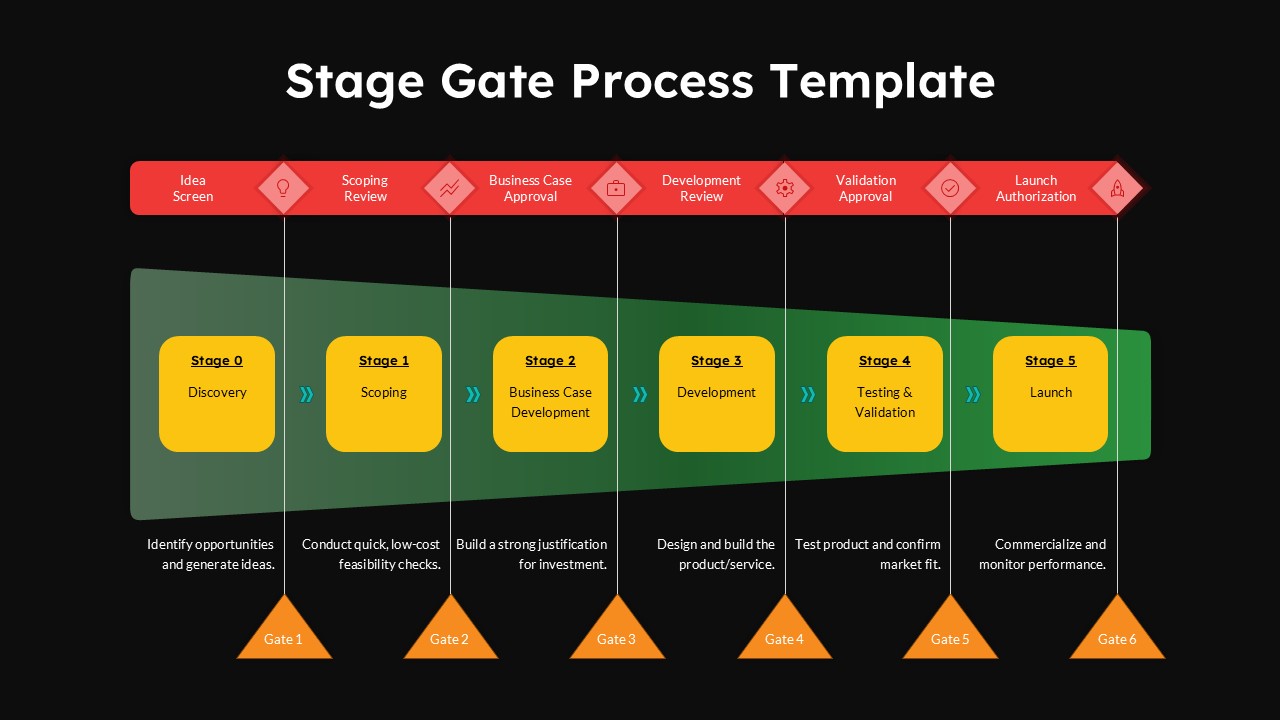
This comprehensive Stage Gate Process template provides a professional framework for visualizing sequential development workflows with integrated decision points. The template features a clean, modern design with 6 distinct stages (Discovery through Launch) paired with corresponding gate reviews, making it completely editable in both Microsoft PowerPoint & Google Slides. The dual-theme approach offers both light and dark background options, ensuring your stage gate presentations maintain visual consistency with any corporate presentation style while effectively communicating complex project progression and approval workflows.
What’s Inside the Stage Gate Process Template
The template includes 2 professionally designed slides featuring a horizontal process flow with 6 sequential stages and matching gate review points. Each stage box is rendered in golden yellow with rounded corners, while the gate reviews appear in striking red banners positioned above each stage. The design incorporates connecting arrows, orange triangular gate markers, and descriptive text placeholders for each phase. The color scheme balances professional red, golden yellow, and green elements against both white and black background options, supporting extensive customization of text, colors, and visual elements to match your organization’s specific stage gate methodology.
Key Features of Stage Gate Process Template
- Dual theme options with light and dark background variants for presentation flexibility
- Six comprehensive stages from Discovery to Launch with corresponding gate reviews
- Professional color-coded design with red banners, golden yellow stage boxes, and green accents
- Clear visual hierarchy with connecting arrows and triangular gate markers
- Fully editable text placeholders for customizing stage names and descriptions
- 16:9 aspect ratio optimized for modern presentation displays
- Compatible with both Microsoft PowerPoint and Google Slides
- Ready-to-use layout requiring minimal customization for immediate implementation
Ideal For
This template is perfect for project managers, product development teams, innovation leaders, and business analysts who need to present structured development processes to stakeholders. It’s particularly valuable for organizations implementing formal stage gate methodologies, whether in manufacturing, technology, pharmaceutical, or service industries. The template serves consulting professionals presenting process improvements, executives communicating strategic initiatives, and teams requiring clear visualization of multi-phase projects with defined approval checkpoints and decision gates.
Slide Highlights
The visual design showcases a sophisticated balance of corporate colors with red gate review banners creating strong visual separation from golden yellow stage boxes below. The green gradient background in the light version provides subtle depth while maintaining readability, while the dramatic black background variant offers high contrast for executive presentations. Orange triangular markers clearly delineate gate positions, and the horizontal flow with connecting arrows ensures logical progression understanding. The typography hierarchy and generous white space create professional presentations suitable for executive summary contexts and detailed stakeholder reviews.
Compatibility & Formats
This Stage Gate Process template is fully compatible with both Microsoft PowerPoint and Google Slides, ensuring seamless editing across platforms. All text elements, colors, shapes, and layouts are completely customizable, allowing you to modify stage names, descriptions, and visual styling to match your specific methodology and brand requirements while maintaining professional presentation quality.
Frequently Asked Questions
Can I customize the number of stages in this Stage Gate Process template?
Yes, this template is fully editable in both PowerPoint and Google Slides. You can easily add, remove, or modify stages by duplicating existing stage boxes, adjusting the layout, and updating the corresponding gate reviews to match your specific stage gate methodology requirements.
What's the difference between the light and dark background versions?
The template includes two slide variants with identical content but different background themes. The light version features a white background with green gradient elements, while the dark version uses a black background. Both maintain the same red, golden yellow, and orange color scheme for process elements, allowing you to choose based on your presentation context and visual preferences.
Is this template suitable for industries other than product development?
Absolutely! While stage gate processes originated in product development, this template is versatile enough for any sequential workflow with decision points. It works well for service development, project phases, approval processes, strategic initiatives, and any multi-stage process requiring gate reviews or milestone checkpoints across various industries.
Login to download this file
What do you think of this template?
Category:
Business Strategy
Aspect Ratio: 16:9
Item ID: SPT0588
Color


Related Templates
-
-
-
-
Product Roadmap Google Slides & PowerPoint Template
Business Strategy
-
-
-
RFP Process Workflow Template for PowerPoint & Google Slides
Business Strategy
-
-
-
-
-



