
Strawman Process Diagram for PowerPoint & Google Slides
Product Description
Description
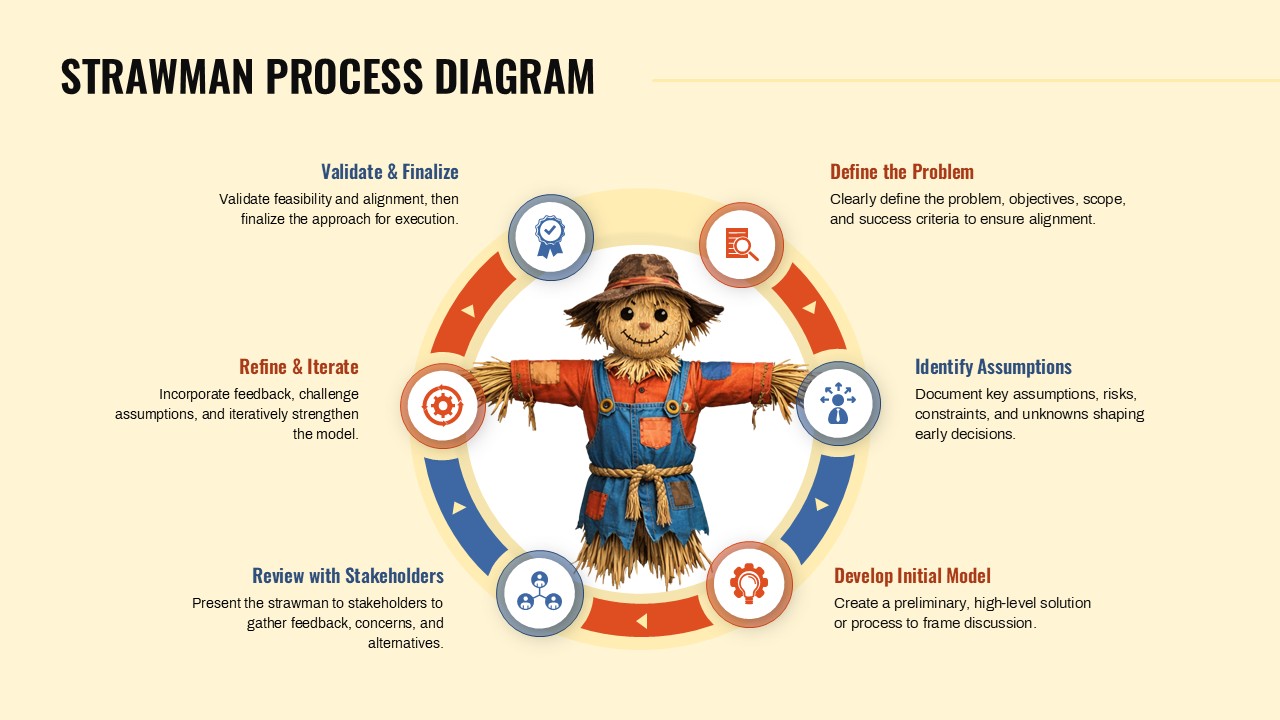
This Strawman Process Circular Diagram is designed to explain early stage thinking, iterative modeling, and concept validation workflows. It is a fully editable presentation template, compatible with PowerPoint and Google Slides, enabling teams to visually communicate how initial ideas evolve through feedback and refinement. The circular structure reinforces continuous improvement and alignment across stakeholders.
This template is ideal for simplifying abstract problem solving processes into a clear and engaging visual narrative.
What’s Inside the Template
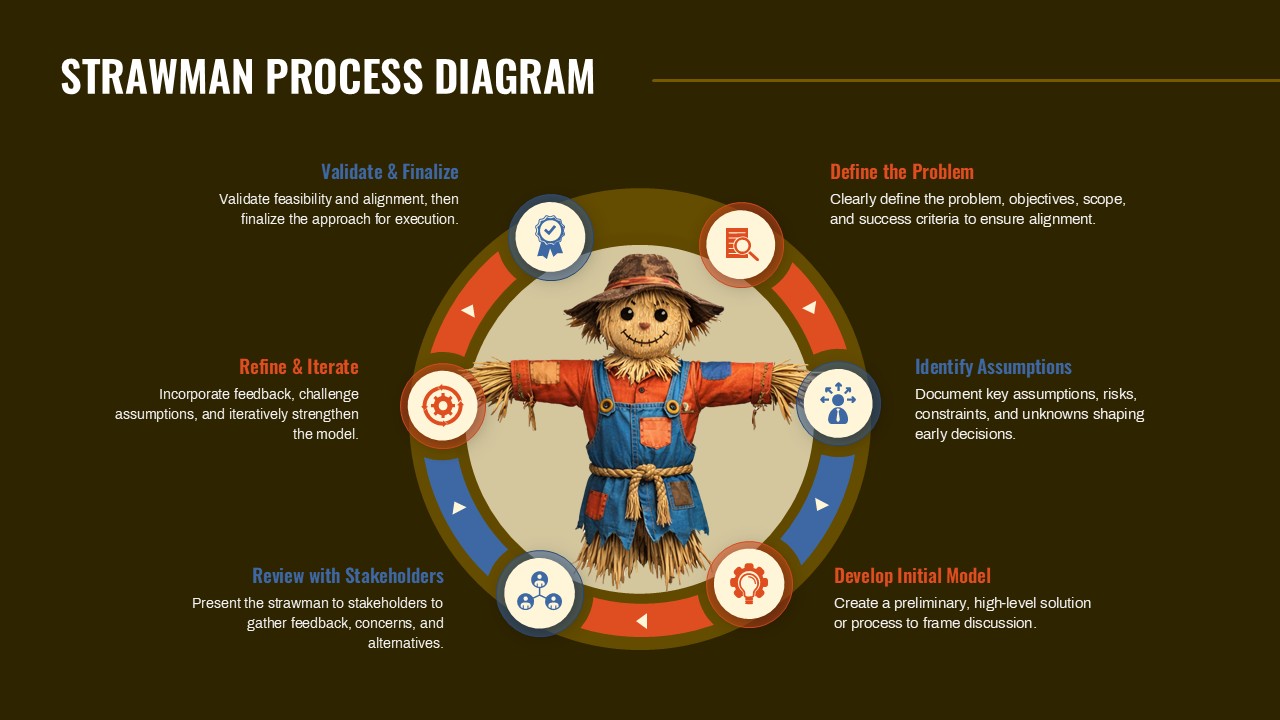
The template contains a single circular process diagram centered around a focal visual, with clearly labeled stages arranged in a loop. Each stage includes a headline and short explanatory text describing key phases such as defining the problem, identifying assumptions, developing an initial model, reviewing with stakeholders, refining through iteration, and validating the final approach. Icon based markers and directional arrows reinforce progression while keeping the slide balanced and easy to follow. All text areas and visuals are fully editable to suit different strategic or operational contexts.
Key Features
- Circular process diagram illustrating iterative workflows
- Clearly defined stages with supporting descriptions
- Editable icons, text fields, and color elements
- Visual emphasis on continuous improvement and validation
- Suitable for strategy, planning, and concept modeling
Ideal For
This template is ideal for consultants, business strategists, product managers, and leadership teams presenting early stage ideas or frameworks. It works well for workshops, stakeholder reviews, innovation sessions, and strategy discussions where assumptions and refinements must be clearly communicated. Educators and trainers can also use it to teach structured thinking and problem solving approaches.
Slide Highlights
The slide highlights a strong central visual supported by evenly spaced process stages around the perimeter. Directional cues guide the audience through each phase in sequence, while concise descriptions keep the focus on key actions and decisions. The circular layout naturally supports discussions around iteration, feedback loops, and validation cycles.
Compatibility & Formats
This template is fully compatible with Microsoft PowerPoint and Google Slides. All elements are editable without external plugins or fonts, ensuring smooth collaboration and easy customization across platforms.
Login to download this file
What do you think of this template?
Category:
Business
Aspect Ratio: 16:9
Item ID: SPT0255



