Supplier Evaluation Matrix Template

This template is part of a deck featuring multiple slides. To check out all slides.
See All
Product Description
Description
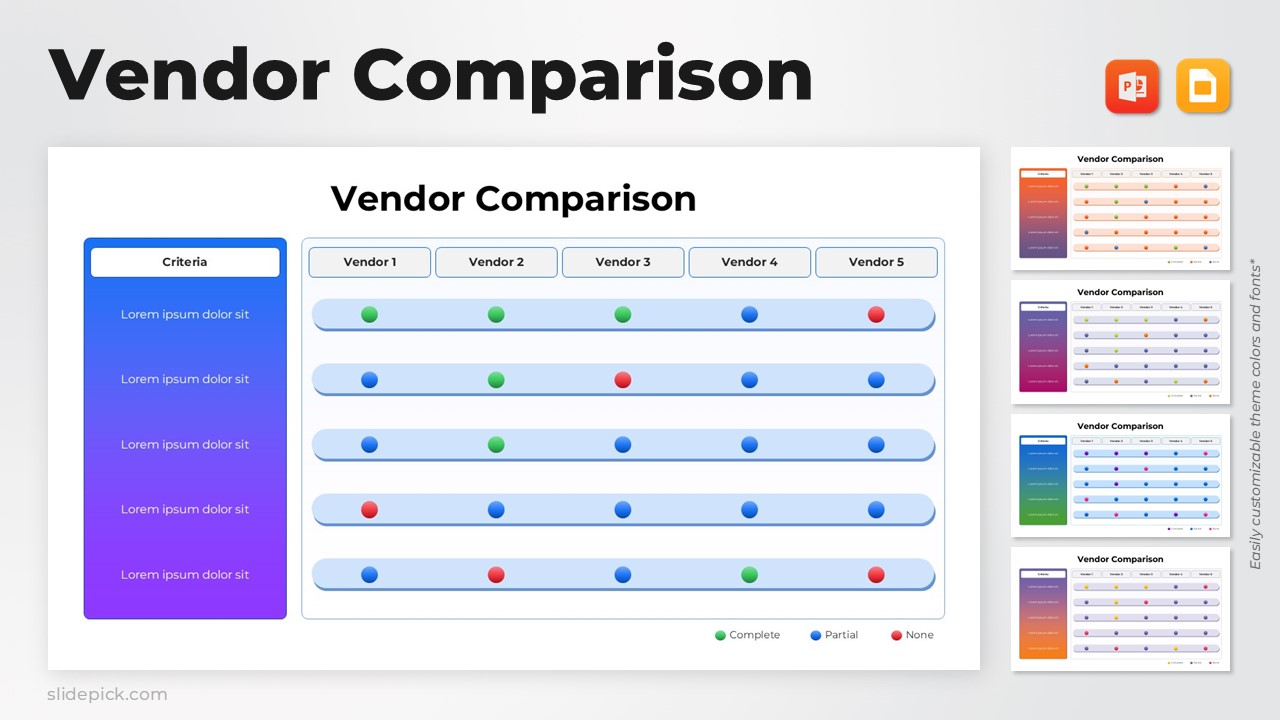
This vendor comparison matrix slide is designed to help teams evaluate and compare multiple vendors across defined criteria. It is a fully editable presentation template, compatible with PowerPoint and Google Slides, created to support structured decision making. The template visualizes vendor performance using a clear status based comparison format. It enables faster insights when assessing strengths, gaps, and overall fit.
By presenting comparison results in a single, easy to scan view, this slide reduces complexity in procurement, sourcing, and evaluation discussions. It is suitable for both analytical reviews and executive level presentations.
What’s Inside the Template
The template features a structured comparison table with a dedicated criteria column and multiple vendor columns. Each row represents an evaluation criterion, while each vendor column displays performance indicators using simple visual markers. A legend explains completion or compliance levels, allowing viewers to understand results instantly. The layout balances text and visuals, ensuring the slide remains readable even with multiple vendors and criteria included.
Key Features
- Clear vendor by vendor comparison layout
- Visual status indicators for quick evaluation
- Fully editable criteria, labels, and colors
- Clean and professional design for business use
- Easy to adapt for different evaluation frameworks
Ideal For
This template is ideal for procurement teams, business analysts, consultants, and decision makers involved in vendor selection. It works well for RFP evaluations, technology comparisons, supplier assessments, and partner reviews. Organizations that require transparent and structured comparison methods will find this slide especially effective.
Slide Highlights
The slide highlights a horizontal comparison structure with consistent spacing across vendors. Visual indicators aligned on each row make it easy to identify patterns, strengths, and weaknesses at a glance. The criteria panel on the left anchors the analysis and keeps discussions focused on evaluation priorities.
Compatibility & Formats
This presentation template is fully compatible with PowerPoint and Google Slides. All elements are editable without additional tools, ensuring smooth customization and collaboration across platforms.
Login to download this file
What do you think of this template?