Weekly Project Timeline Overview Template for PowerPoint & Google Slides
Product Description
Weekly Timeline Template
This template presents a structured weekly project timeline designed to visualize tasks, durations, and progress with clarity. It is a fully editable presentation template compatible with PowerPoint and Google Slides. Its purpose is to help teams plan, track, and communicate project phases across a multi week schedule. The horizontal layout, clean grid lines, and color coded bars provide an intuitive format for project management. It offers a streamlined way to outline deadlines, responsibilities, and delivery milestones in both corporate and academic environments.
What’s Inside the Weekly Timeline Template
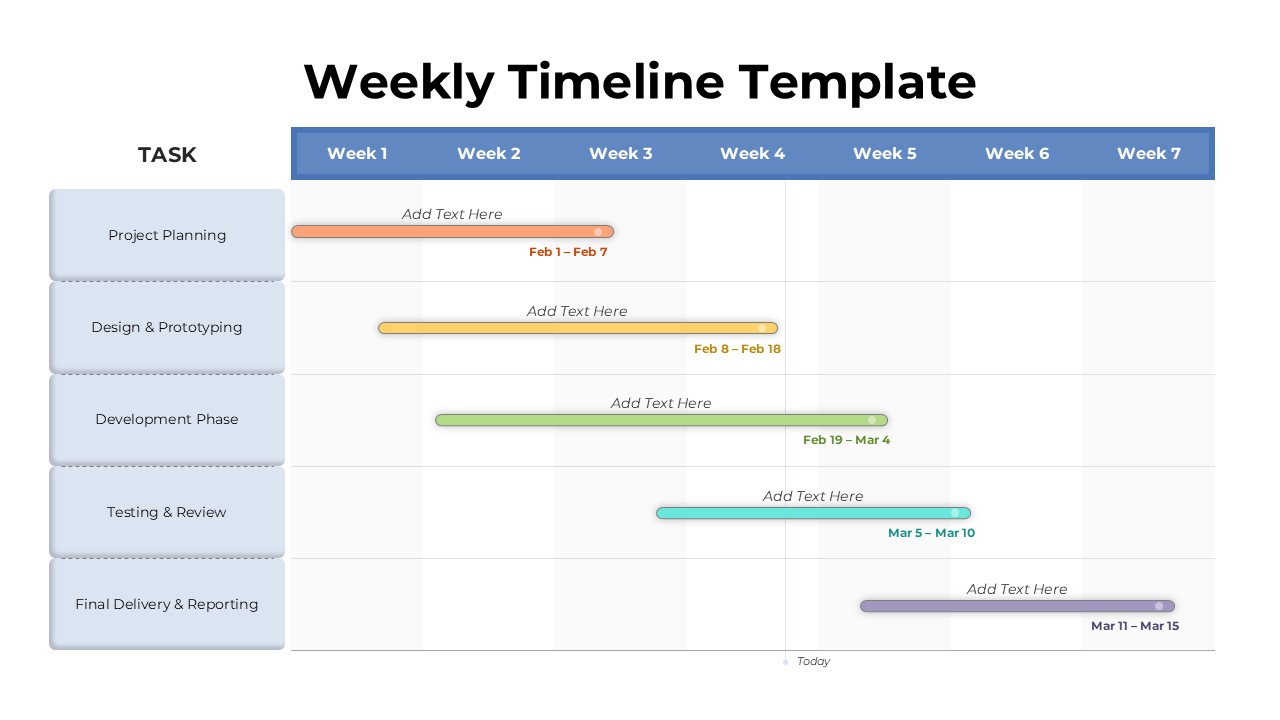
The slide features a seven week horizontal timeline supported by a left aligned task column. Categories such as project planning, design and prototyping, development, testing, and final delivery are laid out clearly. Each task row includes a customizable colored bar where users can specify timeframes, durations, and descriptive text. Subtle grid shading helps distinguish weeks, improving readability for stakeholders reviewing schedules. A vertical marker at the bottom shows the current day, enhancing time tracking. The layout is neat, intuitive, and optimized for fast updates during project revisions.
Key Features of Weekly Timeline Template
- Fully editable weekly timeline layout
- Color coded task bars for clear visual tracking
- Structured grid with seven week segmentation
- Dedicated task column for organized project phases
- Compatible with PowerPoint and Google Slides
Ideal For
This template is ideal for project managers, team leads, consultants, educators, and operations professionals overseeing multi week initiatives. It supports software development cycles, product design workflows, marketing plans, academic projects, and organizational timelines that need a clear, time based visual.
Slide Highlights
The slide emphasizes clarity through its organized grid and long horizontal task bars that visually represent workload distribution. Each bar is uniquely colored to differentiate tasks at a glance. The left side task labels are framed in light blue boxes, helping anchor the timeline structure. Week indicators at the top guide viewers through the schedule effortlessly, while the clean minimalist design keeps the focus on project progress.
Compatibility & Formats
The template works seamlessly in both PowerPoint and Google Slides. All bars, text labels, colors, and shapes can be modified to reflect updated timelines, branding styles, or project specific structures.
Login to download this file
What do you think of this template?