
Zig Zag Timeline Animated Google Slide Template

Zig Zag Timeline Animated Google Slide Template
This template is part of a deck featuring multiple slides. To check out all slides.

See All round right arrow
Animated Zig Zag Timeline PowerPoint Template

Product Description

Animated Zig Zag Timeline

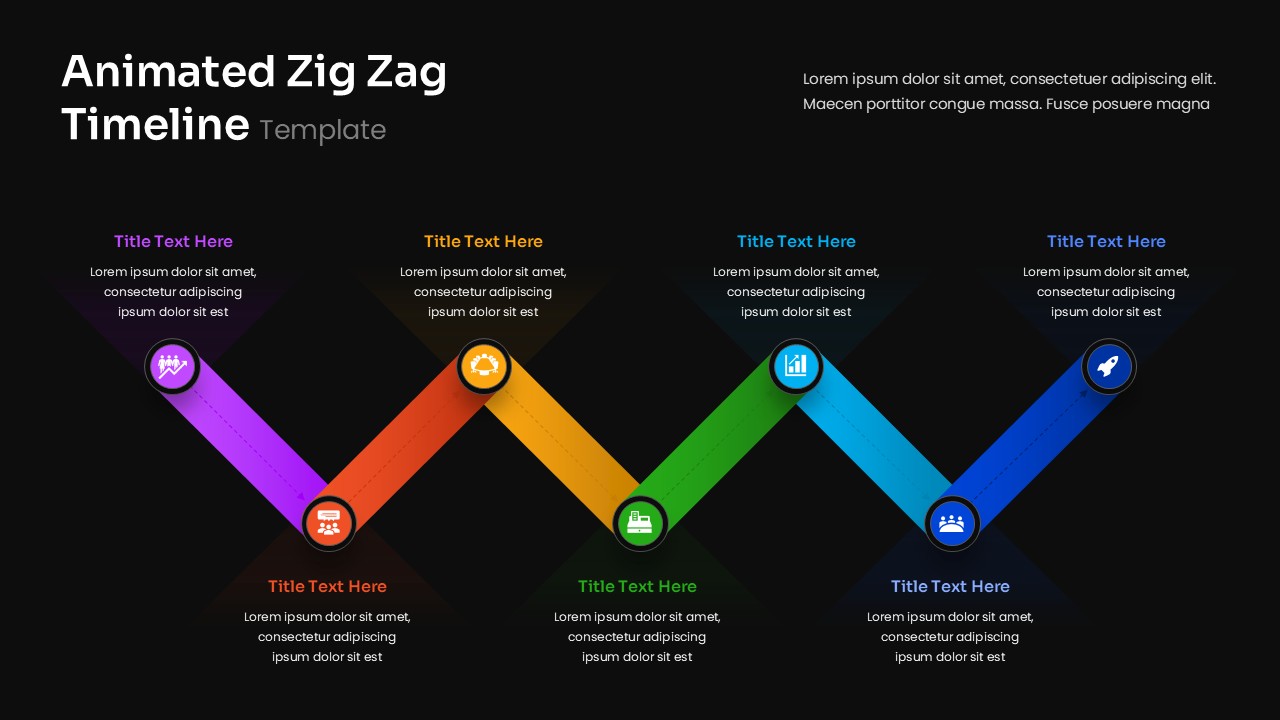
This animated zig zag timeline presentation template is designed to help users visualize sequential milestones, project phases, or strategic steps in a dynamic and visually engaging way. The product is a fully editable presentation template, compatible with PowerPoint and Google Slides. Its colorful diagonal layout creates a natural flow from left to right, making it ideal for storytelling, planning, and progress reporting. Each timeline point is paired with a circular icon and text area, allowing presenters to highlight key stages with clarity and emphasis. All colors, shapes, icons, and text fields can be customized to align with your branding or thematic needs.

What’s Inside the Animated Zig Zag Timeline Template

The template features a five step zig zag pathway where each segment transitions diagonally in alternating directions. Each segment uses a gradient color band paired with a circular icon that represents themes such as teamwork, planning, analytics, growth, and launch. Above and below each segment is a text block for titles and descriptions, ensuring a balanced distribution of information. This alternating layout makes the timeline more engaging and visually distinctive compared to traditional linear formats.

Key Features of Animated Zig Zag Timeline Slides

• Five step zig zag timeline structure for dynamic sequencing
• Color coded segments with matching icons for quick recognition
• Alternating top and bottom text placement for improved flow
• Fully editable in PowerPoint and Google Slides
• Great for project timelines, product roadmaps, or process overviews
• Clean, modern visual design with strong clarity and organization

Ideal For

Project managers, strategists, educators, and presenters who want to display milestones or stages in a visually compelling format will find this template highly effective. It is suitable for corporate presentations, training materials, academic lessons, roadmaps, and business planning sessions.

Slide Highlights

The diagonal flow of the timeline creates a natural directional movement that keeps viewers engaged. Each color band and icon emphasizes its respective milestone clearly, while the alternating text positioning adds visual rhythm. The soft shadows and gradients enhance the modern design, making the timeline feel polished and easy to follow.

Compatibility & Formats

This template is fully compatible with PowerPoint and Google Slides. All elements, including icons, text, segment shapes, and colors, can be customized. Users may expand or reduce the number of steps by duplicating or removing segments as needed.

Login to download this file

What do you think of this template?

Rating

0.0

(0 reviews)

