- What Is a Lunch and Learn Presentation, Exactly?
- Why Lunch and Learn Presentations Actually Work
- How to Choose the Right Lunch and Learn Topic
- How to Structure Your Lunch and Learn Presentation
- Designing Slides for Your Lunch and Learn
- Shortcut Your Way to Great Slides with SlidePick
- Tips for Delivering a Lunch and Learn Presentation People Will Remember
- Common Lunch and Learn Mistakes to Avoid
- How to Promote Your Lunch and Learn Effectively
- What to Do After Your Lunch and Learn Session
- Frequently Asked Questions About Lunch and Learn Presentations
- Wrapping It All Up
How to Plan and Deliver a Lunch and Learn Presentation That People Actually Look Forward To

- What Is a Lunch and Learn Presentation, Exactly?
- Why Lunch and Learn Presentations Actually Work
- How to Choose the Right Lunch and Learn Topic
- How to Structure Your Lunch and Learn Presentation
- Designing Slides for Your Lunch and Learn
- Shortcut Your Way to Great Slides with SlidePick
- Tips for Delivering a Lunch and Learn Presentation People Will Remember
- Common Lunch and Learn Mistakes to Avoid
- How to Promote Your Lunch and Learn Effectively
- What to Do After Your Lunch and Learn Session
- Frequently Asked Questions About Lunch and Learn Presentations
- Wrapping It All Up


So you’ve been asked to run a lunch and learn. Maybe you volunteered. Maybe you got voluntold. Either way, you’re now staring at a blank slide deck and wondering where to even begin.
You’re not alone. Lunch and learn presentations have become one of the most popular formats for workplace learning, and for good reason. They’re casual enough to feel low-pressure, structured enough to actually get something done, and short enough that people won’t check their phones every five minutes.
But here’s the thing: just because the format is informal doesn’t mean your preparation should be. A great lunch and learn presentation takes real thought. The good news? This guide is going to walk you through everything you need to know, from picking the right topic all the way to the moment you hit that last slide.
What Is a Lunch and Learn Presentation, Exactly?
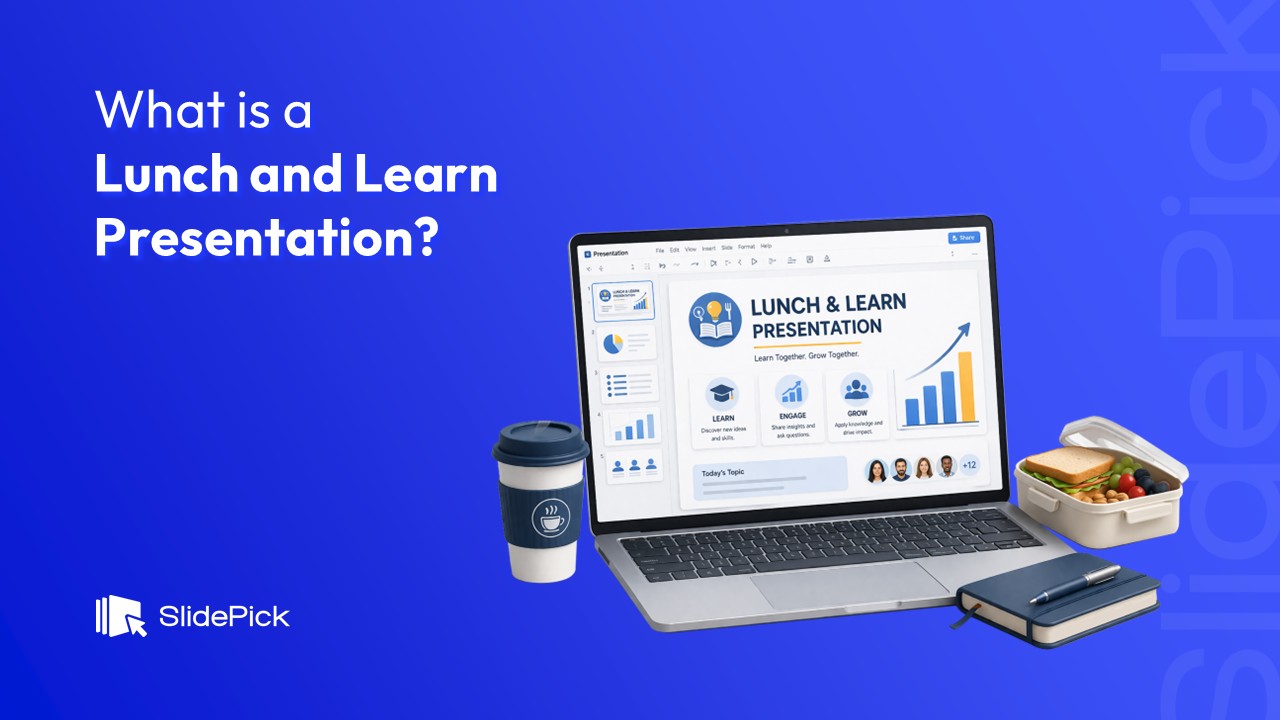
A lunch and learn (sometimes written as “lunch-and-learn” or just “L&L”) is a short, informal learning session that takes place during a team’s lunch break. Typically, someone, an employee, a manager, an outside speaker, or a vendor, presents on a topic that’s relevant to the group.
These sessions usually last between 30 and 60 minutes. People eat. People listen. Ideally, people leave with something useful.
The format is genuinely popular because it doesn’t eat into the workday, pun intended. It respects people’s time while still carving out space for growth, collaboration, and connection.
You’ll find lunch and learns happening in:
- Corporate offices (for onboarding, skills training, or product updates)
- Startups (for cross-team knowledge sharing)
- Healthcare organizations (for compliance and continuing education)
- Schools and universities (for faculty and staff development)
- Nonprofits (for volunteer training and community education)
In short, if your team needs to learn something and everyone’s already eating anyway, a lunch and learn presentation is probably the most efficient way to make it happen.
Why Lunch and Learn Presentations Actually Work
Before we get into the how, it’s worth understanding why this format is so effective. Because knowing the “why” will help you design a session that actually delivers results.
They lower the stakes
People are more receptive to new ideas when they’re relaxed. Add a sandwich and some background noise and suddenly a training session feels more like a conversation. That relaxed atmosphere makes people more willing to ask questions, share opinions, and engage.
They build a learning culture
Regular lunch and learns send a pretty clear message to your team: we value growth here. Over time, that consistent investment in learning, even just once a month, adds up to a noticeably stronger, more curious team culture.
They’re low-cost and high-return
Compared to full-day workshops, off-site retreats, or formal training programs, lunch and learns are remarkably affordable. The main investment is the presenter’s time, and maybe some pizza.
They encourage cross-team collaboration
When different departments attend the same session, you get something magical: people learning how others think, what others do, and how they might actually work together better. It’s one of those rare things that’s genuinely good for both the individual and the organization at the same time.
How to Choose the Right Lunch and Learn Topic
This is where most people get stuck. The topic matters more than anything else, because even the most polished presentation won’t save you if nobody cares about the subject.
Ask yourself these questions when picking your lunch and learn topic:
- What does my audience actually struggle with day-to-day?
- What do I know well enough to teach in under an hour?
- What’s come up in recent team meetings or feedback sessions?
- Is there a company goal or initiative this could support?
Popular lunch and learn topics that tend to land well
- Time management and productivity techniques
- Mental health, stress management, and workplace wellbeing
- Introduction to a new tool or software your team just adopted
- Diversity, equity, and inclusion conversations
- Financial wellness basics (especially popular with younger employees)
- Industry trends and what they mean for your team
- Storytelling for better communication
- Public speaking and presentation skills
- Data literacy for non-technical teams
- How another department actually works (great for cross-team empathy)
One underrated approach: survey your team beforehand. Even a quick Google Form with five topic options will get you much better attendance and engagement than just picking something yourself. People show up when they asked for it.
How to Structure Your Lunch and Learn Presentation
Here’s a structure that works really well for most lunch and learn presentations. You can adjust the timing based on how long your session is, but this framework holds up whether you have 30 minutes or a full hour.
Opening (5 minutes): Set the scene
Start with a quick introduction, who you are, what you’re covering, and why it matters. Keep it short. People are still settling in, grabbing drinks, saying hi. You want a warm, low-pressure opener. A story, a surprising stat, or a simple question works great here.
Body (20 to 40 minutes): Teach, don’t just talk
This is the core of your session. Limit yourself to three to five main points, trying to cover more than that in under an hour almost always backfires. For each point, aim to:
- Explain the concept clearly
- Give a real example or case study
- Connect it to something your audience already knows or does
I’ve seen way too many lunch and learns where the presenter just talks at people for 45 minutes straight. That’s not a presentation, that’s a lecture. Mix in a poll, a discussion question, a quick activity, anything to keep the energy going.
Q&A (5 to 10 minutes): Make room for dialogue
Always leave time for questions. This is often where the most valuable conversations happen. If no one asks anything right away, have a question ready to kick it off yourself: “Something I often get asked about this topic is…”
Close (2 to 3 minutes): Leave them with something
Summarize your key points. Give one clear takeaway or action item. Thank people for their time. And if you have resources, reading lists, links, tools, share them now. People actually use these when they’re fresh from the session.
Designing Slides for Your Lunch and Learn
Let’s be honest: slide design is where a lot of otherwise well-prepared presenters run into trouble. You can have great content but still lose your audience if your slides are hard to read, visually cluttered, or just kind of boring.
Here are the principles that matter most for a lunch and learn presentation specifically:
Keep text minimal
Your slides are visual support, not a script. If someone can read your entire slide before you’ve finished your first sentence, you’ve put too much on it. Aim for no more than five to seven words per line, and no more than three or four bullet points per slide.
Use visuals intentionally
Images, icons, and simple charts help people process and remember information faster than text alone. That said, generic stock photos of people shaking hands? Skip those. Go for visuals that actually illustrate your point.
Be consistent with fonts and colors
Nothing kills a presentation’s credibility faster than eight different fonts and colors that don’t quite go together. Stick to two fonts max, one for headings, one for body text, and a color palette of three or four colors that actually work together.
Make it readable from the back of the room
Your font size should be at least 24pt for body text and larger for headings. High contrast between your text and background matters too, light text on a dark background or dark text on a light background. Avoid light gray on white at all costs.
Shortcut Your Way to Great Slides with SlidePick
Here’s where things get a little easier for you.
If you’ve ever spent three hours tweaking slide alignment and color gradients when you should have been focusing on your actual content, you already understand the value of a good template. That’s exactly what SlidePick is for.
SlidePick (slidepick.com) is a library of professionally designed presentation templates built for exactly these kinds of real-world situations, lunch and learns, team meetings, project updates, training sessions, onboarding, and more.
Instead of starting from scratch, you pick a template that fits your topic, swap in your content, and you’ve got a polished, cohesive slide deck without the design headache.
What makes SlidePick useful for lunch and learn presentations specifically:
- Templates are clean and professional, not overdone
- Options for different tones (corporate, casual, creative, educational)
- Ready to use layouts for title slides, content slides, Q&A slides, and wrap-up slides
- Saves time so you can focus on your actual message, not slide formatting
- Works for any presentation type, not just lunch and learns
Think of it this way: the template handles the design so you can handle the delivery. And in most lunch and learn scenarios, your delivery, your energy, your knowledge, your ability to connect with the room, is what people will actually remember.
If you’re planning any kind of workplace presentation and you want something that looks good without spending hours on design, it’s absolutely worth checking out SlidePick.com.
Tips for Delivering a Lunch and Learn Presentation People Will Remember
Even with a great topic and beautiful slides, the delivery is what makes or breaks the session. Here’s what actually moves the needle:
Practice out loud, not just in your head
Reading through your slides silently is not the same as actually saying the words. Rehearse out loud at least twice. The first time, you’ll find the rough spots. The second time, it’ll start to feel natural.
Arrive early and set up properly
Technical problems at the start of a session can set a weird, stressful tone that’s hard to recover from. Get to the room early, test your projector or screen sharing, check the audio if you’re using video, and have your slides open and ready before anyone walks in.
Speak to people, not at them
Make eye contact. Use names when you can. Acknowledge the food (seriously, a quick “hope everyone got a chance to grab something” does more for the vibe than you’d think). The more conversational you can be, the more engaged your audience will stay.
It’s okay to not know everything
If someone asks a question you don’t know the answer to, say so. “That’s a great question and I honestly don’t know off the top of my head, let me find out and follow up” is not a failure. It’s honest. And it shows you actually care about giving accurate information.
Respect the time
People have meetings after this. Deadlines. Work to get back to. If you said the session would be 45 minutes, wrap up at 45 minutes. Ending on time (or even a few minutes early) is a form of respect that people genuinely appreciate.
Common Lunch and Learn Mistakes to Avoid
Let’s run through the pitfalls that trip people up most often, so you can sidestep them from the start.
- Too much content for the time available. Trying to squeeze a two-hour workshop into 40 minutes leads to rushed, shallow coverage of everything. Go deep on fewer things.
- Reading directly from slides. If your audience can read, they don’t need you to read for them. Use your slides as anchors, not scripts.
- Forgetting to engage the audience. One-way presentations get exhausting. Even one or two interactive moments can completely change the energy in the room.
- Not promoting the session in advance. If you tell people about a lunch and learn on the morning it’s happening, don’t expect a big turnout. Give at least a week’s notice, ideally two.
- No follow-up after the session. Slide decks shared after the fact, short summaries, or even a quick “thanks for coming” email with key resources keep the learning alive.
The good news: all of these mistakes are totally fixable once you know to look for them.
How to Promote Your Lunch and Learn Effectively
Even the best lunch and learn presentation won’t matter if nobody shows up. Promotion is part of the job. Here’s how to do it without being annoying about it:
- Send a calendar invite with a clear title and a one- or two-sentence description of what attendees will get out of it
- Post about it in your team’s Slack or Teams channel with a short, enthusiastic blurb
- Mention it at your next all-hands or team meeting
- Send a reminder one day before and again on the morning of the session
- If food is provided, mention it (this sounds obvious but it genuinely helps attendance)
Frame the invite around what attendees will gain, not what you’re going to present. There’s a difference between “I’m doing a presentation on data visualization” and “You’ll walk away knowing how to make charts that actually tell a story.”
What to Do After Your Lunch and Learn Session
The session itself is only part of the picture. What you do in the 24 to 48 hours afterward can significantly impact how much value people actually take from it.
- Share your slide deck. Even attendees will appreciate having it to reference. People who couldn’t make it will thank you.
- Send a follow-up message with the two or three most important takeaways and any resources you mentioned
- Collect feedback with a simple form,three to five questions is plenty. Ask what was useful, what could be improved, and what topics they’d want to see covered next
- Note what worked and what didn’t while it’s still fresh. Even just five minutes of reflection after the session will make your next one noticeably better
The follow-up is also a great opportunity to plant the seed for the next session. A quick “we’re already planning our next lunch and learn, if you have a topic suggestion, drop it here” at the end of your recap email can generate a lot of goodwill and ideas.
Frequently Asked Questions About Lunch and Learn Presentations
How long should a lunch and learn presentation be?
Most lunch and learns run between 30 and 60 minutes. The sweet spot for most audiences is around 45 minutes, enough time to cover something meaningfully without going so long that people start watching the clock. If you’re unsure, err on the shorter side. A crisp 35-minute session with solid content beats a padded-out 60-minute one every time.
How many slides should a lunch and learn presentation have?
A rough rule of thumb is about one slide per one to two minutes of speaking time. For a 45-minute session, that puts you somewhere in the 20 to 35 slide range. But slide count matters less than slide quality. Twenty focused, well-designed slides will always outperform fifty cluttered ones.
Can I do a lunch and learn presentation virtually?
Absolutely, and virtual lunch and learns have become very common since 2020. The main differences are logistical: you’ll want to use video conferencing software you’re comfortable with, keep your camera on, and build in a bit more interactivity to compensate for the energy loss that comes with screens. Polls, breakout rooms, and live Q&A features help a lot.
Do I need to provide food for a lunch and learn?
Technically, no. But also… it really helps. If you’re asking people to give up their lunch break, providing food is a gesture of appreciation that people notice. Even something simple like a tray of sandwiches or some snacks goes a long way. If the budget isn’t there, being upfront about it, “feel free to bring your own lunch”, is better than not saying anything.
What’s a good way to start a lunch and learn?
Start with a hook, not housekeeping. Instead of leading with “Hi, I’m going to be talking about X today,” try opening with a question, a surprising fact, or a short story that sets up why this topic matters. Get people curious first; introductions can come after.
Wrapping It All Up
A great lunch and learn presentation comes down to a few things done well: a topic your audience actually cares about, a structure that respects their time, slides that support your message without overwhelming it, and a delivery style that feels human and real.
It doesn’t have to be perfect. It doesn’t have to be a TED Talk. It just has to be useful, honest, and put together with genuine care. That’s the bar. And honestly, most people clear it without realizing they were worried for nothing.
And if you want to make the slide design part significantly easier, head over to SlidePick.com. Whether you’re building a lunch and learn deck, a team update, a training presentation, or anything else, there’s a template there that will get you most of the way there, fast. You can spend your time on what actually matters: knowing your stuff and connecting with your audience.
Good luck with your session. Go get ’em.
Related Articles
 March 18th, 2026
15 Virtual Presentation Tips for Better Online Meetings
Business Presentation Tips- April 7th, 2026
10 Real Personal SWOT Analysis Examples (And How to Actually Use Them for Achieving Your Goals)
Business Presentation Tips - April 2nd, 2026
How to Write a Self-Appraisal for an Annual Performance Review (Step-by-Step Guide)
Business Presentation Tips